RotoSpider manual › Choose the right shape for a product
Decide which shape to use
Describes RotoSpider Desktop 0.8.14 · checked 2026-09-13 D5
Every mold in RotoSpider has a shape. A box is the simplest and often enough; the other shapes exist because the layout reserves the whole shape for the mold, and a mold that is far from a box wastes the room between itself and its box. This page says which shape to give a product and what each one wins. The pages after it show how to enter each.
What a shape does for the layout
The layout keeps the clearance between neighbouring molds and keeps every mold inside the arm's rotation envelope. It measures both from the shape you give it: with a box, from the box's corners; with an L, a wedge or a drawn outline, from the real outline. Two L molds can nest into each other's notch; a triangle's point can reach over a neighbour's low corner; a sphere's neighbours can come in under its equator. On a crowded spider this is usually where the extra room comes from, and it costs a few measurements per mold, once.
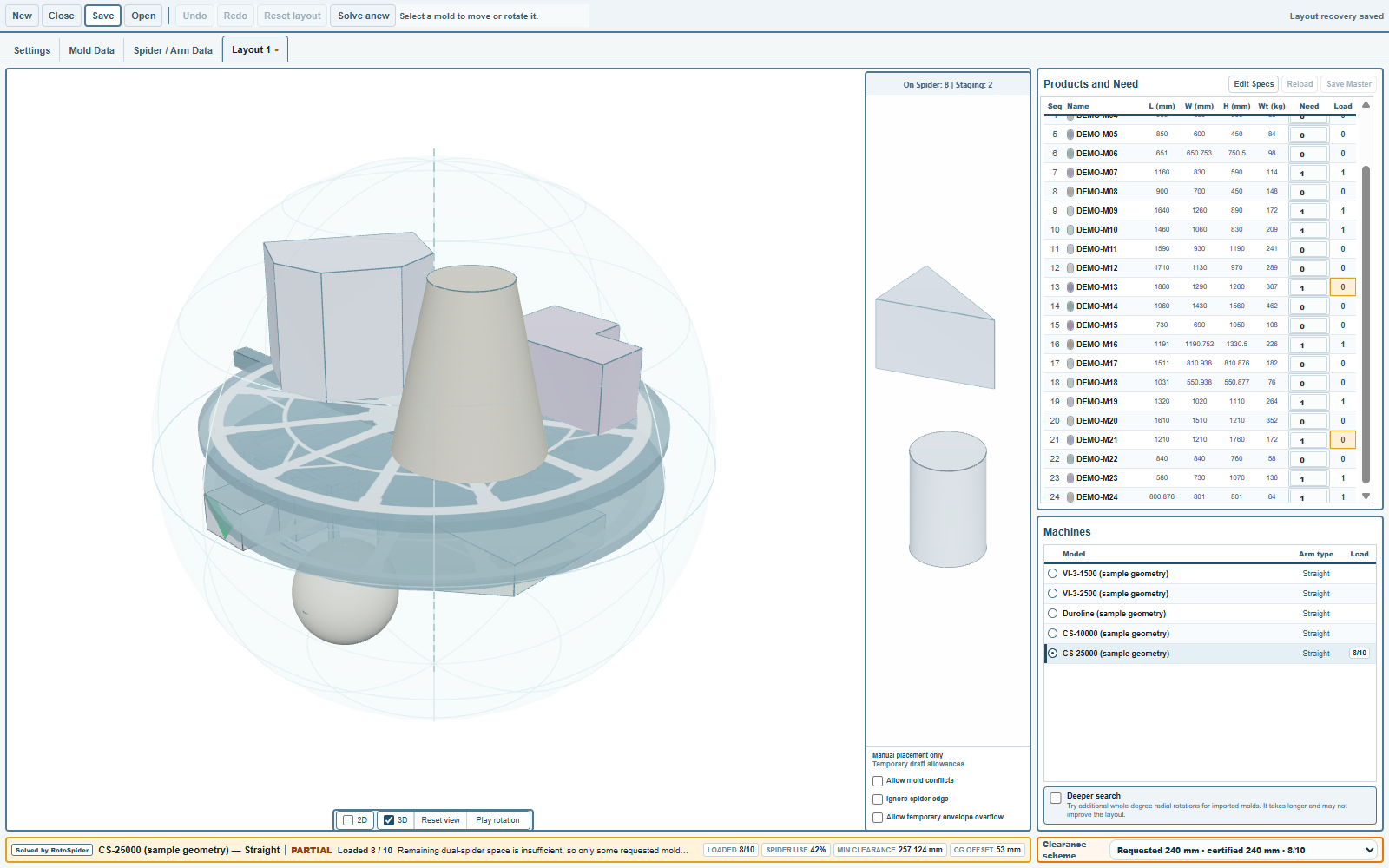
Give a mold a shape when the real mold leaves a hand's width or more of air in its box on some side. Leave it a box when it does not: a tank with square corners and a lid, a crate, a chest, a pallet.
Which shape for which product
| The product, or the mold with its frame | Shape to use | What it wins over a box |
|---|---|---|
| Rectangular tank, crate, chest, pallet, planter box, cooler | Box |
Nothing to win; the mold fills its box |
| Round tank or bin with straight sides, drum, upright pipe fitting | Cylinder |
The corners of the box: a neighbour can come in on the diagonal |
| Corner tank, L-shaped water tank, wheel-arch tank, a frame with a cut-out corner | L-shaped prism |
The cut-out: a second L or a box nests into it |
| Triangular corner tank, a wedge-shaped bow tank, a frame that tapers to a point | Triangular prism |
The two corners beside the point |
| Ramp, sloped-lid tank, pickup-bed liner, a mold that is tall on one side and low on the other | Wedge / slope top |
The air above the low side, inside the envelope |
| Cone-bottom tank, tapered bin, hopper, planter, cone, a bucket-shaped mold | Tapered cylinder |
The ring around the narrow end, and the box's corners |
| Spherical tank, float, ball | Sphere |
Everything outside the ball: neighbours come in above and below the equator |
| Oval or elliptical tank, rounded-corner frame, hexagonal or octagonal planter, a frame with a jog in it, any outline that is the same all the way up | Draw footprint |
Whatever the drawn outline leaves out of its box |
| Tapered box or bin that is wider at the top, kayak or hull, domed tank, road barrier, a stepped mold, anything whose outline changes with height | Levels Shape |
The taper: the neighbours close in where the mold is narrow |
| Any mold with a CAD file from the mold maker, and every mold-and-frame assembly that none of the above describes | Import STEP |
The exact shape, including the frame, from the file |
The product examples are our guesses; your mold list decides. When two shapes both fit a product, take the simpler one: a planter with a slight taper is a cylinder or a box, not a Levels Shape, because a degree or two of draft changes no layout.
Two shapes are entered and never built: a Box and a Cylinder are typed into the row. The others are built once and kept with the mold: five from measurements (built shapes and the sphere), two drawn (a footprint and a Levels Shape), and one imported from CAD (Import STEP). A shape prepared on another machine is attached as a Published shape.
The trial's molds
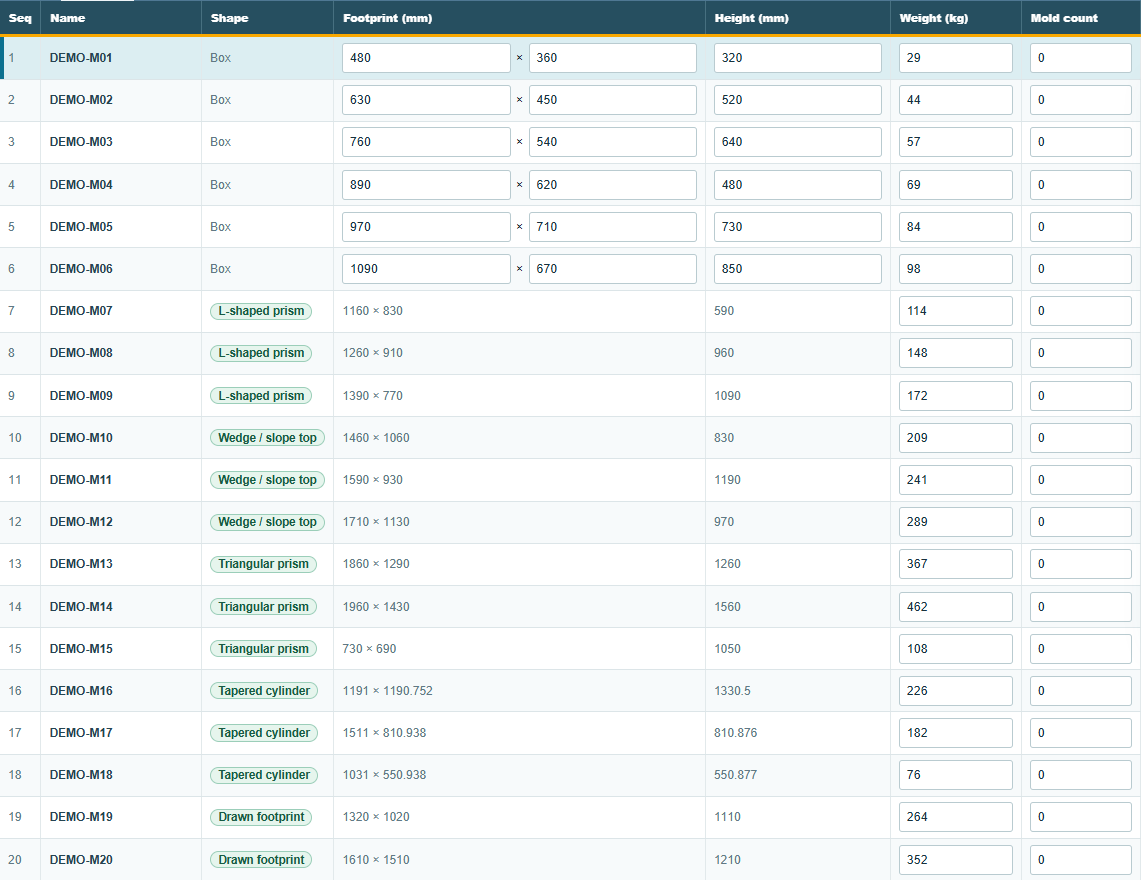
The trial workbook carries one or more molds of every shape, so you can see each on a spider before entering your own:
| Molds | Shape |
|---|---|
DEMO-M01 to DEMO-M06 |
Box |
DEMO-M21, DEMO-M22 |
Cylinder |
DEMO-M07 to DEMO-M09 |
L-shaped prism |
DEMO-M10 to DEMO-M12 |
Wedge / slope top |
DEMO-M13 to DEMO-M15 |
Triangular prism |
DEMO-M16 (upright), DEMO-M17 and DEMO-M18 (laid down) |
Tapered cylinder |
DEMO-M19, DEMO-M20 |
Drawn footprint |
DEMO-M23 |
Levels Shape |
DEMO-M24 |
Sphere |
On the Mold Data tab the Shape column names each, and the preview draws the selected one:
Where to change a shape
Select the mold's row on the Mold Data tab and press Change Shape. The gallery lists the shapes above in that order, each with one line on what it needs:
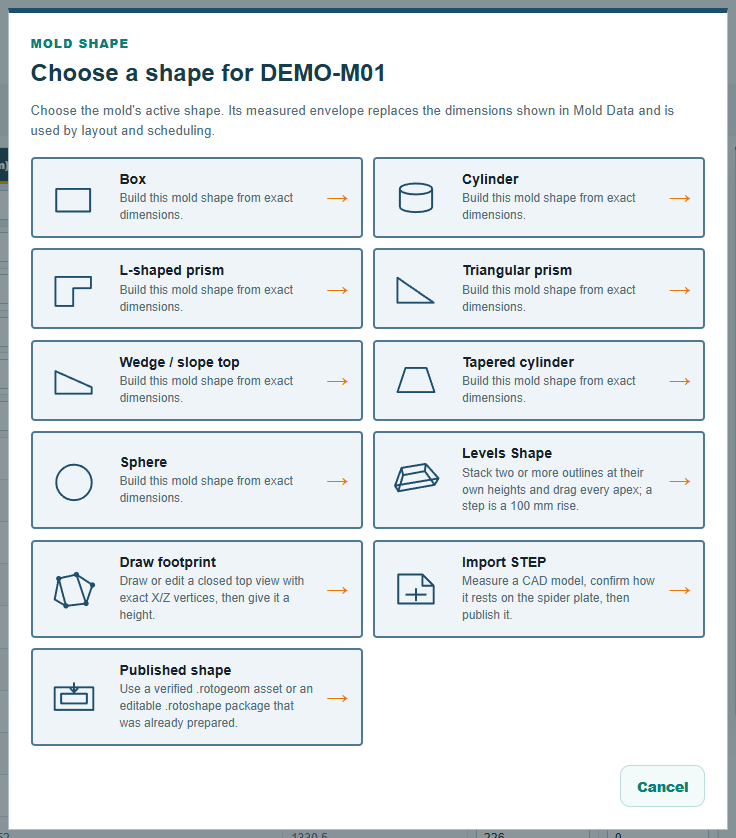
Building a shape needs the Windows desktop app, which carries the geometry tools; on macOS and Linux the gallery says so and greys out every choice but Box, Cylinder and Published shape, so a shape built or imported on a Windows machine can still be used there. The web app has the same shapes in its mold table's shape column, except the CAD import.
Not a shape: the rotation envelope
The rotation envelope is the space the arm sweeps as it turns, and it belongs to the arm, not to a mold: it is set on the Spider / Arm Data tab and explained on the arm pages. A mold's shape decides how much of that space the mold takes; the envelope decides how much there is.
Comments and questions
The app's rules are our reading of the physics; where your plant knows better, the app changes.