RotoSpider manual › Edit a layout yourself
Decide what the app may change on its own
Describes RotoSpider Desktop 0.8.14 · checked 2026-09-13 D5
By default the app refuses any position that breaks a rule. That is right most of the time, but not always: sometimes you want to see an arrangement the rules would not allow, to think with. Three switches under the staging area let you keep such a position, marked, for as long as you need it.
The three switches
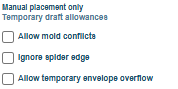
They sit under the heading Manual placement only · Temporary draft allowances, which is the rule: they affect only positions you set by hand, the automatic layout is unchanged, and they are for a draft. Hover a switch for its own sentence:
Allow mold conflicts: "Keep overlap and below-minimum-clearance placements as warnings." Two molds may sit closer than the minimum clearance, even overlapping.Ignore spider edge: "Keep placements that extend beyond the spider as warnings." A mold's foot may reach past the edge of the plate.Allow temporary envelope overflow: "Keep out-of-envelope placements as high-severity warnings. Rotation simulation stays off." A mold may reach outside the rotation envelope.
Switch one on and the check it names stops refusing; the other two still refuse. Two rules have no switch: a mold can never be put into the dead height at the hub, and the arm's load limit cannot be exceeded by hand. Switching on says Exploration permissions are on. Final output remains blocked by warnings.; switching all off says All placement checks are enforced.
Marked, not hidden
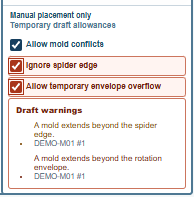
A mold kept in a position that breaks a rule is outlined in red in the scene and marked with ! in the plan views, the status line says Mold position kept with warnings., and a Draft warnings list under the switches names each broken rule and the mold, in the app's words: Molds overlap., Mold clearance is below the required minimum., A mold extends beyond the spider edge., A mold extends beyond the rotation envelope., or, for a mold with a complex shape whose clearance could not be certified, Custom mold clearance is not certified.
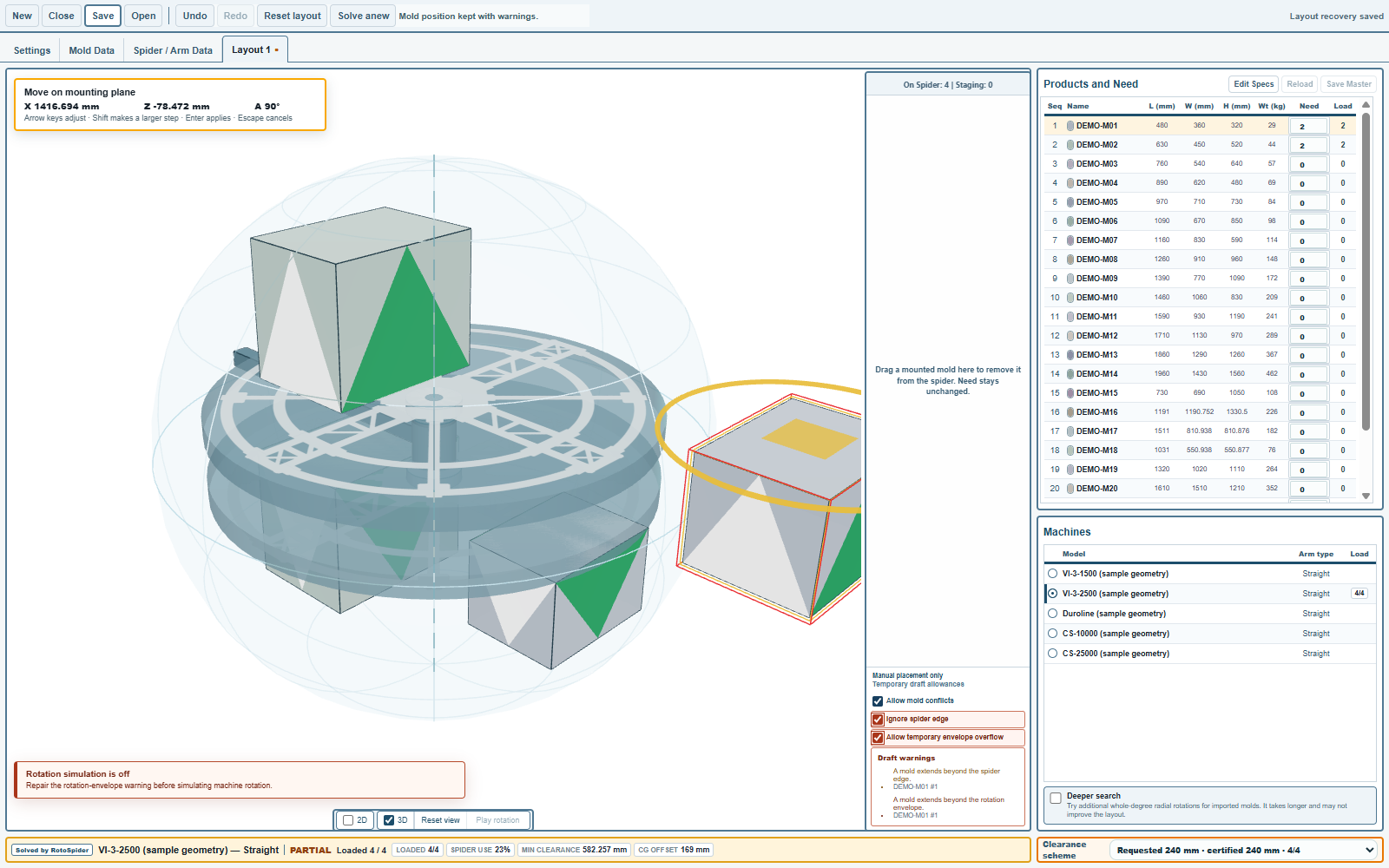
The strip turns orange and says the arrangement does not pass the checks. While a mold is outside the envelope the turning arm stops, Rotation simulation is off, until that warning is repaired: an arm with a mold outside its envelope cannot be shown turning.
What a kept position does and does not do
- It cannot be saved.
Saverefuses a layout while a draft warning stands; the warnings must be repaired first, by moving the mold, byUndo, or byReset layout. The recovery copy between sessions keeps your draft as it is. - The automatic layout ignores it.
Solve anewandReset layoutgive the app's own arrangement back, with no warnings;Reset layoutsays so withLayout reset to the solver result. - A recompute switches the allowances off. Changing the machine, a mold's size or a setting recomputes the layout, and the three switches return to off; switch them on again if you want to keep exploring.
Solve anewand aNeedchange leave the switches as you set them.
Comments and questions
The app's rules are our reading of the physics; where your plant knows better, the app changes.