RotoSpider manual › Choose the right shape for a product
Build an L-shaped, triangular, wedge or tapered mold
Describes RotoSpider Desktop 0.8.14 · checked 2026-09-13 D5
Four shapes are built from a handful of measurements you take at the mold, with no drawing and no CAD file: the L-shaped prism, the triangular prism, the wedge with a sloped top, and the tapered cylinder. Each is a small builder that draws the shape as you type, so you can see whether it matches the mold in your shop before you use it.
Opening a builder
On the Mold Data tab, select the mold's row, press Change Shape and pick the family: L-shaped prism, Triangular prism, Wedge / slope top or Tapered cylinder. The builder opens with sample measurements already filled in; replace them with yours. Its own row of tiles along the top, L shape, Triangle, Slope / wedge, Tapered cylinder, switches between the families without going back. The Shape envelope line under the fields shows the outside size the shape will have, width by depth by height, which is what the row will show afterwards. Build & Use makes the shape and puts it on the row; Cancel leaves the row as it was.
Every builder shares three conventions, written under its drawing: X runs right, Y rises from the plate, Z runs forward; the shape is centred on its own footprint with its lowest point on the plate; values are kept to a thousandth of a millimetre, so what you type is what is used. A number outside a field's range is refused and the field turns red; nothing is rounded or clamped.
L-shaped prism
An L is a rectangle with one corner cut out. Give the outside size, Outside X and Outside Z, then the cut-out, Notch X and Notch Z, then the Y height. Notch corner says which of the four corners is missing, +X / +Z and so on, matching the top view beside the numbers.
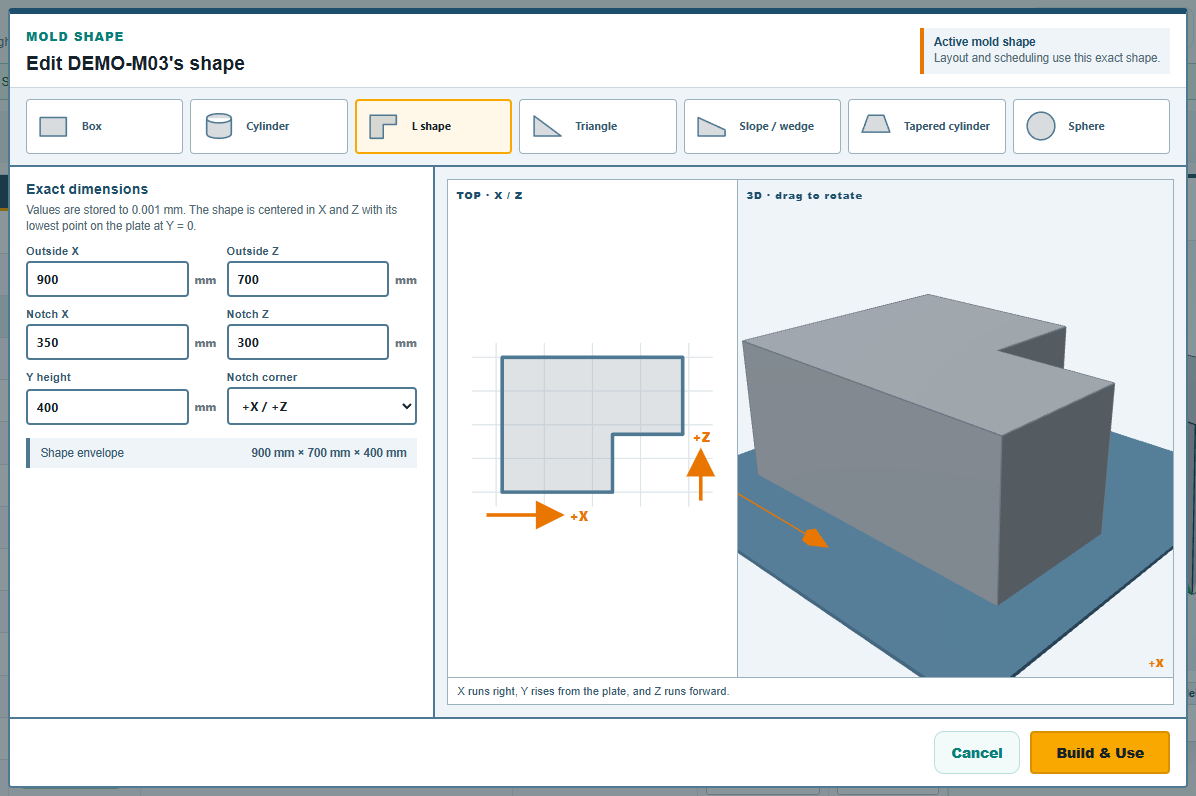
The notch must be smaller than the outside in both directions; the builder refuses Build & Use otherwise and says why. Two L molds can nest into each other's notch on a spider, which is where this shape wins most of its room; the trial's DEMO-M07 to DEMO-M09 are L-shaped.
Triangular prism
A triangle standing on a broad base, extruded to a height. Broad base Z is the length of the base edge, Point depth X how far the point is from that base, and Point offset Z slides the point along the base direction, zero for a symmetric triangle, positive or negative to lean it. Y height is the extrusion.
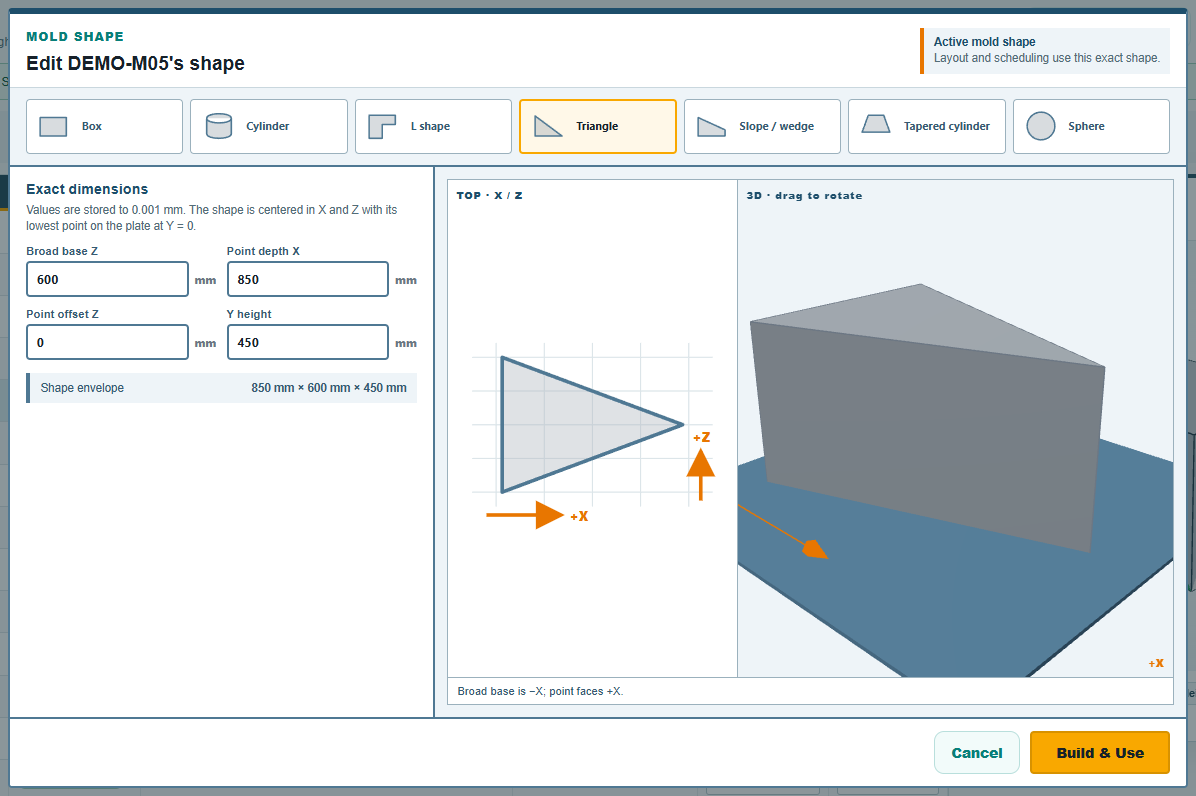
The point offset must stay within the base's span. The builder's note reads "Broad base is −X; point faces +X": the base sits at the left of the top view and the point to the right; the layout turns the whole shape as it needs.
Wedge with a sloped top
A box whose top slopes from a high edge to a low edge: a ramp, a sloped-lid tank, a pickup-bed liner. X width and Z depth are the foot; High height (−X) is the tall edge and Low height (+X) the short one, the slope falling from the left of the top view to the right.
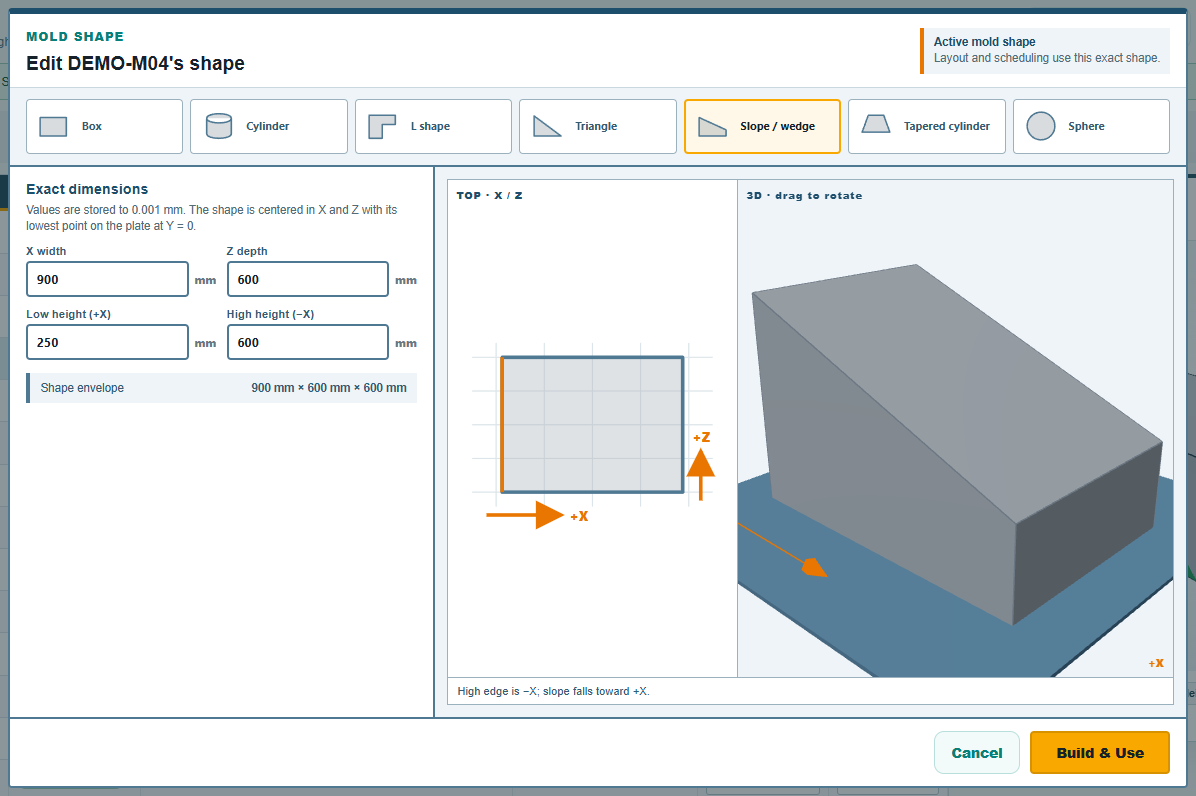
The high height must be greater than the low height. The row afterwards shows the high height as the mold's height, since that is the tallest point.
Tapered cylinder
A round mold that narrows from one end to the other: a cone-bottom tank, a bin, a planter, a hopper. Large diameter and Small diameter (+axis) are the two ends, Axis length the distance between them. Mount direction says how it sits on the plate: Upright · axis +Y stands it on its large end, Laid down · axis +X lays it on its side with the small end pointing right.
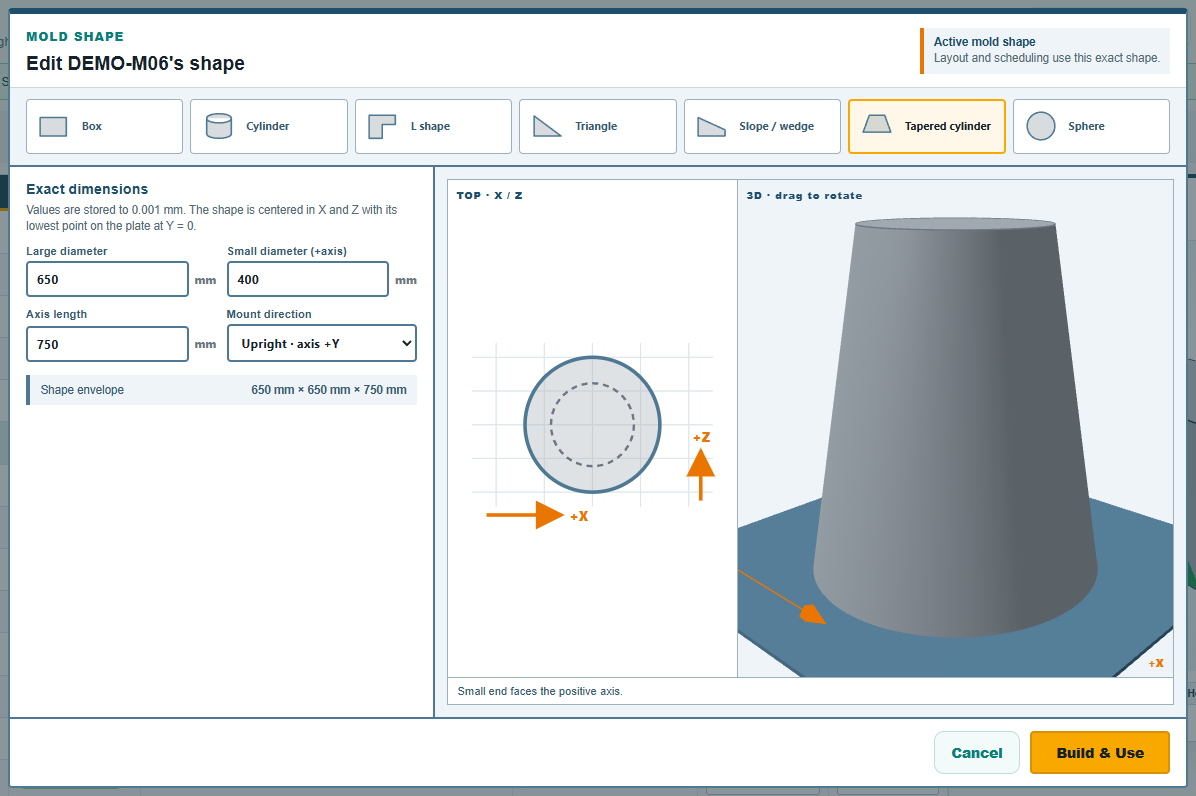
The large diameter must be greater than the small one; a mold with equal ends standing up is a cylinder and is entered as one. A plain cylinder lying on its side is entered here too, laid down, with the small end a millimetre smaller than the large one. Upright, the row's footprint is the large diameter both ways and the height is the axis length; laid down, the footprint is the axis length by the large diameter and the height is the large diameter. The trial's DEMO-M16 is a tapered cylinder standing up; DEMO-M17 and DEMO-M18 lie down.
After building
The row's Shape column names the shape, its footprint and height come from the shape and are shown as read-only numbers, and the preview on the right draws it:
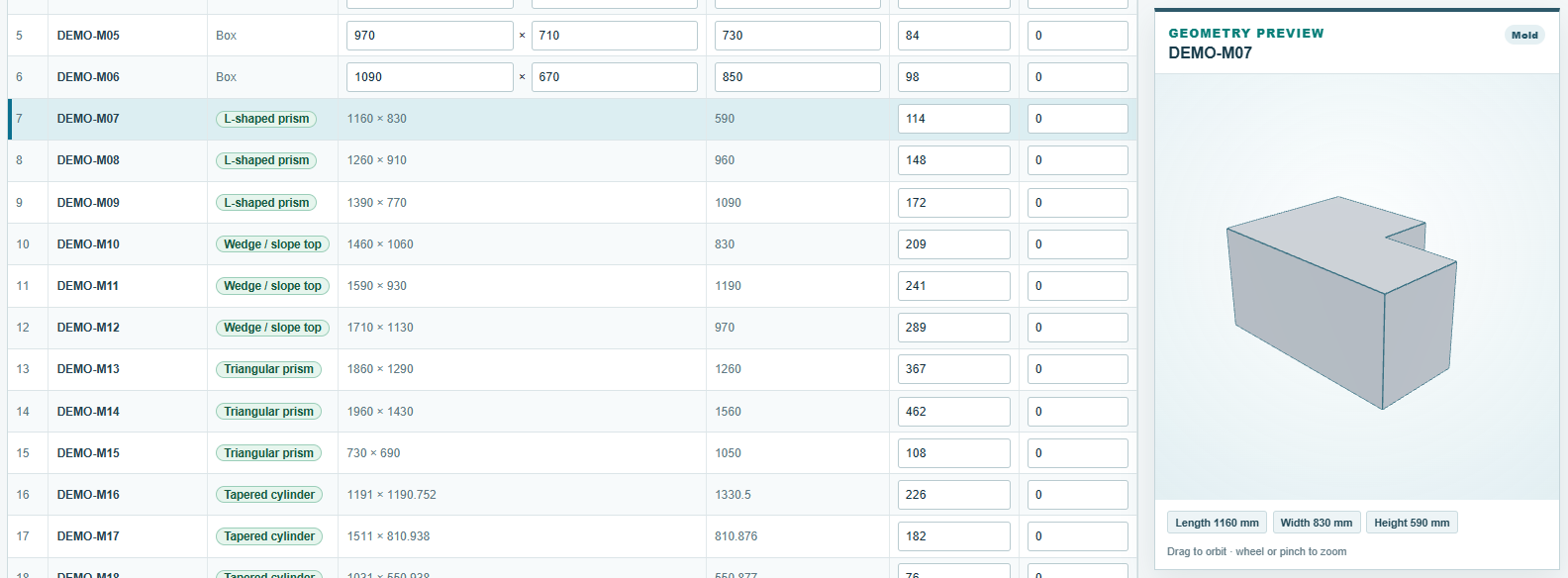
The shape lives in a file beside the workbook, in the app's own geometry folder, and the row's last four columns record which file; the workbook row itself still carries the outside size for anyone reading it in Excel. Save writes the row. To change a measurement later, select the row and press Change Shape again: the builder reopens on the shape's own numbers.
The web app
The web app offers the same four families in the mold table's shape column, L shape, Triangle, Slope / wedge and Tapered cylinder, and opens the same builder. A shape built there lives in that browser's layout, since the web app has no workbook.
Comments and questions
The app's rules are our reading of the physics; where your plant knows better, the app changes.