RotoSpider manual › Choose the right shape for a product
Enter a box or cylinder mold
Describes RotoSpider Desktop 0.8.14 · checked 2026-09-13 D5
Most molds start life in RotoSpider as a box, and many can stay one. A box is the mold's outside size when closed, measured with a tape at its widest, tallest and deepest, frame and clamps included. A cylinder is the same for a round mold: its diameter and its height. Both are typed straight into the mold's row; neither needs a builder.
When a box is good enough
The layout reserves the whole box for the mold and keeps the clearance around it. That costs nothing when the real mold nearly fills its box: a rectangular tank, a chest, a pallet, a crate, a planter with a small taper. It costs room when the box is mostly air, an L-shaped tank, a wedge, a triangular frame, a tapered bin: the corners of the box keep the neighbours away from space the mold does not use. The page on choosing a shape says when the room is worth winning back.
Measure a box mold closed, on its frame, including anything that stays bolted to it in the oven.
A box on the Mold Data tab
On the Mold Data tab a box mold has its Footprint (mm) as length by width and its Height (mm) typed directly into the cells; the Shape column reads Box:

In the workbook the same numbers are the LengthCm, WidthCm and HeightCm columns, in centimetres. Length and width are the two sides of the foot; the app tries the mold both ways round on the plate, so it does not matter which side you call the length.
A cylinder
A round mold has a Shape of Cylinder and a footprint that is its diameter both ways:

In the workbook a cylinder is written in the Size column as Ø121x176, diameter by height in centimetres, with FootprintShape set to Circle and the three size columns left empty; the trial's DEMO-M21 and DEMO-M22 are written this way. The cylinder stands upright on the plate. A round mold that lies on its side has no builder of its own in 0.8.12: enter it as a tapered cylinder laid down with the small end a millimetre smaller, on the next page, or import its CAD file.
Changing a mold between box and cylinder
Select the row and press Change Shape. The gallery that opens lists every shape the app knows; Box and Cylinder are the first two:
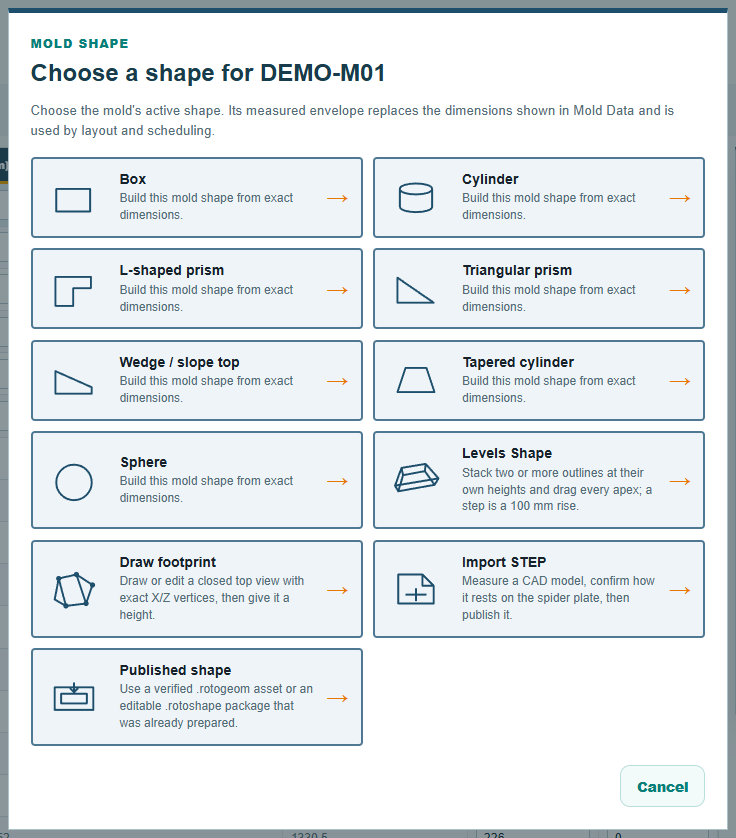
Choosing either opens the builder, filled in with the row's own numbers: X width, Z depth and Y height for a box, Diameter and Y height for a cylinder, drawn live in a top view and a 3D view beside them:
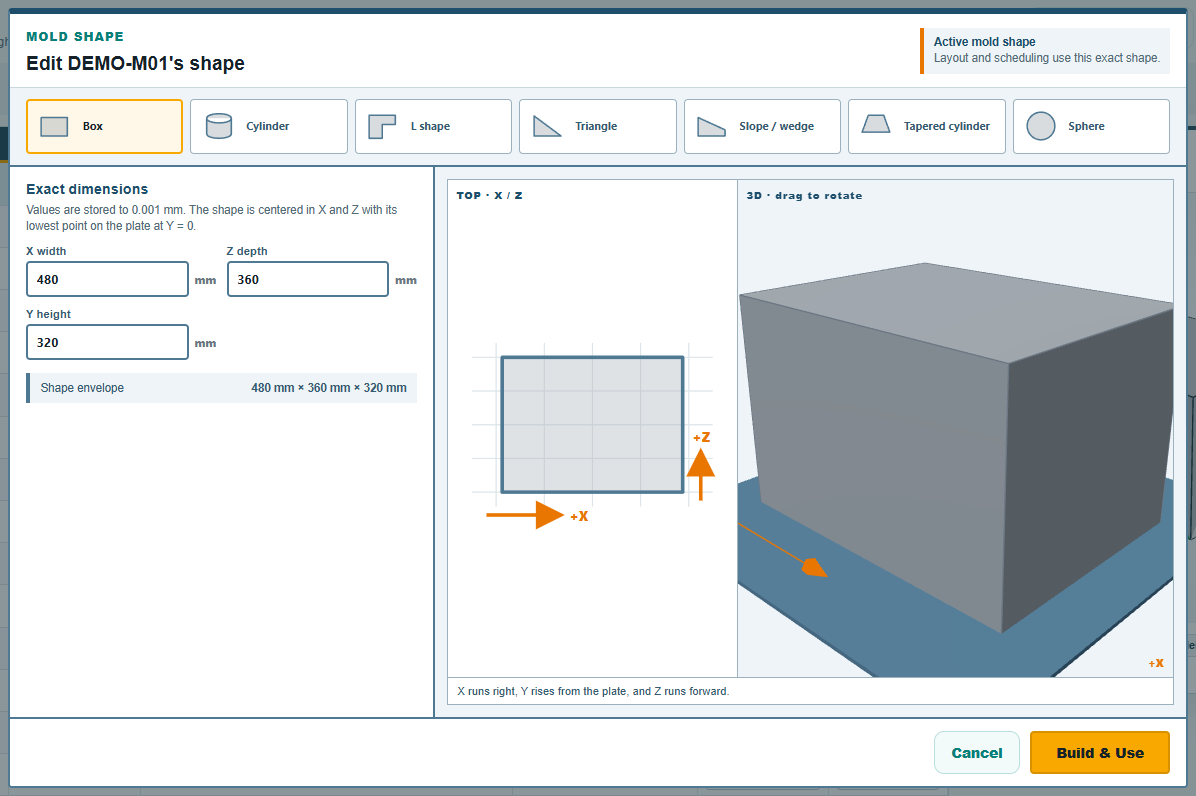
Build & Use writes the numbers into the row. For a box or a cylinder nothing else happens: no shape file is made, the row carries the new size, and Save writes it to the workbook after the overwrite question. A mold that had a built or imported shape and is changed back to a box or cylinder loses that shape and goes back to its plain numbers.
The web app
The web app's mold table has the same choice in its shape column, Box or Cylinder, with the length, width and height typed beside it. The rest of the shapes are there too; the following pages say where they differ.
Comments and questions
The app's rules are our reading of the physics; where your plant knows better, the app changes.