RotoSpider manual › Share and get help
Share a layout from the web app
Describes RotoSpider Web App 0.8.13 and Desktop 0.8.14 · checked 2026-09-13 D5
The web app at rotospider.app is the quick way to show a layout question to someone else: one link carries your molds, your arms and what you asked for, and the other person's browser works the layout out again from them. This page says what the link holds, what it does not, and where the web app stops and the desktop app begins.
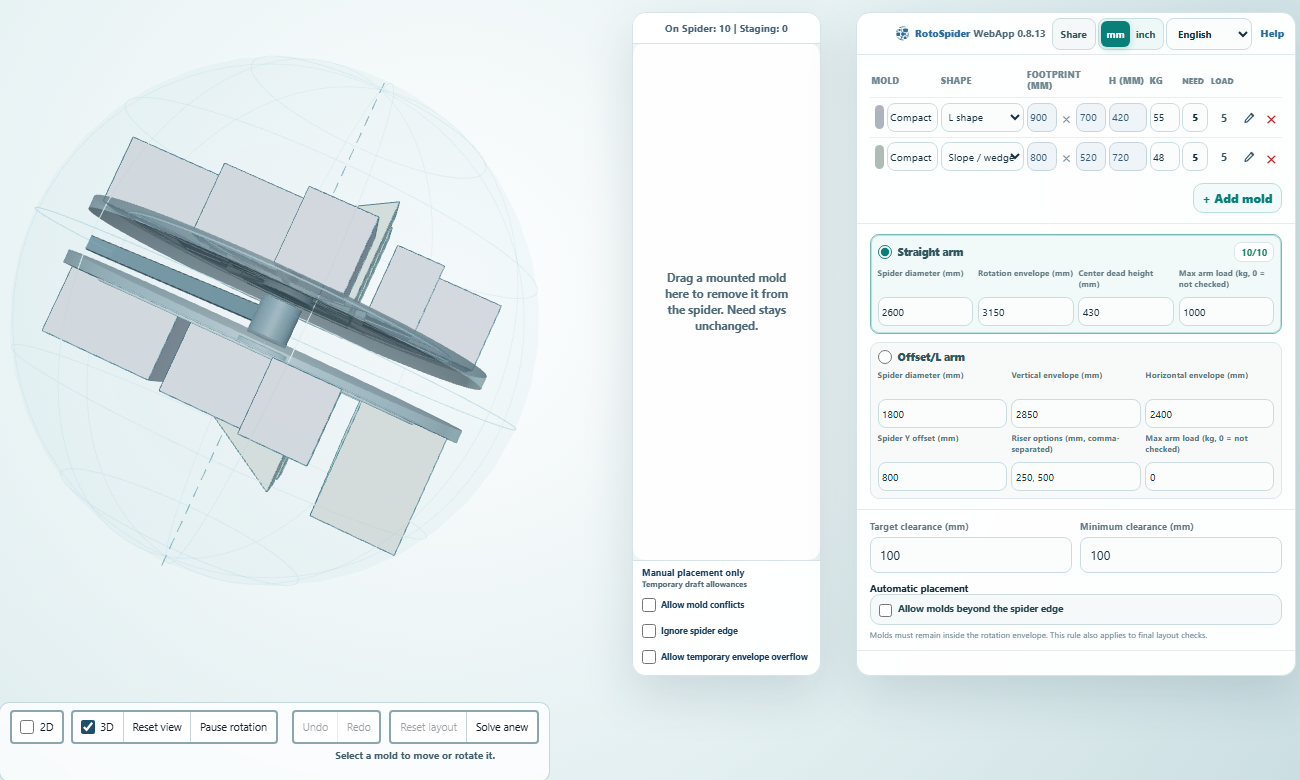
Sharing a layout as a link
Press Share in the header of the input rail. The button reads Link copied for three seconds: the link is on your clipboard, ready to paste into a message or an email.

The link holds the inputs of your workspace: the unit, every mold row with its shape, size, weight and Need, the arms you defined, and which arm was selected. It does not hold the arrangement. Whoever opens the link gets the same inputs and the same layout engine, so they see the same layout you did; if they change a number, their copy changes and yours does not. Nothing is uploaded when a link is made, and the link works as long as the web app exists, since everything is inside the address itself.
Two limits follow from that. A workspace with many molds can outgrow what an address can carry; the button then reads Workspace too large to share as a link, and the way round is fewer rows. And a link that was cut short in transit opens with Invalid share link and the page's own workspace instead.
A mold with a prepared complex shape (one attached from a .rotoshape or .rotogeom file) is the one exception to "nothing is uploaded": when you attach it in the web app, the app asks whether the shape may be uploaded to the public shared service, so that a link can show it; anyone with that shape's link can view its preview. Say no and the mold stays a box for the link's purposes.
Where your work lives in the web app
The web app keeps your molds, arms and settings in the browser you use, and says so in the header: Saved in this browser, or Saved persistently on this device where the browser allows it. There is no workbook and no file: clear the browser's site data and the workspace is gone, which is what a share link, or the desktop app, is for.
What the web app cannot do that the desktop can
The web app is the full layout engine with the same shapes, the same editing and the same rules. The desktop app adds what a factory needs day to day:
- Your own master data. The desktop keeps machines and molds in a workbook you own, with every arm of your floor and every mold you have; the web app has two sample arms,
Straight armandOffset/L arm, plus arms you type in, and a mold list you build by hand. - Layouts as files.
SaveandOpenon the desktop keep a layout with its request and its arrangement; the web app keeps one workspace per browser and shares inputs by link. - Several layouts side by side. The desktop opens each layout as a tab, so two answers to one question can be compared; the web app has one.
- Importing a CAD file. Only the Windows desktop app reads a STEP file; the web app takes a shape prepared there.
- Support bundles. The desktop records what happened in a session for support; the web app does not.
The two share one engine and one set of rules, so a layout worked out on the web app matches the desktop's for the same inputs.
Comments and questions
The app's rules are our reading of the physics; where your plant knows better, the app changes.