RotoSpider manual › Compute and read a layout
Read the result
Describes RotoSpider Desktop 0.8.14 · checked 2026-09-13 D5
Three places tell you how a layout went: the status strip along the bottom, the Load column beside each mold, and the staging area with its count. In that order they say what fitted, what did not, and why.
The status strip

From left to right: the machine and its arm type; the verdict; Loaded n / m, the molds placed against the molds requested; and a sentence saying why the layout stopped where it did. The strip shortens a long sentence with …; hold the pointer over it to read it in full. Then four chips: LOADED, the same count; SPIDER USE, how much of the plates' area the molds' feet cover; MIN CLEARANCE, the smallest gap between two molds in the layout; and CG OFFSET, how far the loaded arm's centre of gravity sits from its axis. On an offset or L arm a fifth item, Selected riser, names the riser height the layout used.
The verdict is one of five words. FEASIBLE means every requested mold is on a spider with the clearance kept, and the sentence reads The current layout placed all requested molds on the upper/lower spiders. on a straight arm, or Offset Arm single-spider mode placed all requested molds. on an offset arm:

PARTIAL means some are placed and some are not, and the sentence says why the rest are not. On a straight arm the usual one is Remaining dual-spider space is insufficient, so only some requested molds were placed.; the others are Some molds exceed the current rotation envelope after height is considered., Some molds exceed the rotation envelope; the rest lack remaining dual-spider space., and The arm load weight budget is insufficient, so only some requested molds were placed., each pointing at the arm parameter the arm pages describe. An offset arm says single-spider and Offset Arm envelope in the same sentences. INFEASIBLE means something was requested and nothing could be placed, and the sentence names the reason, for instance a single mold that crosses the spider boundary or exceeds the current rotation envelope. EMPTY means nothing was requested: The current arm is empty. Set product quantities. NO ARM means no machine is selected.
A strip in orange with PARTIAL and every mold placed appears when you have kept a position that breaks a rule with one of the edit allowances; its sentence says the arrangement does not pass the checks.
The Load column
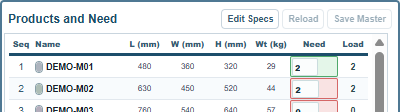
Load beside each mold is how many copies of that mold are on the spiders, against the Need you typed. The mold whose Load falls short is the one the machine could not take; a 0 in orange marks a mold with none placed at all. This is where you see which mold is the problem when the strip says PARTIAL.
The staging area
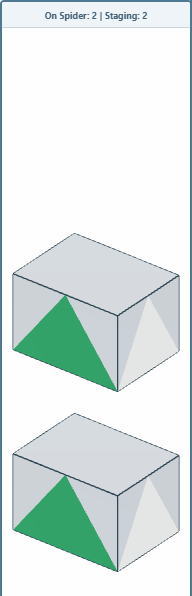
The column between the scene and the input rail is the staging area. Its header counts On Spider: n | Staging: m. Every requested copy that found no place waits here, drawn to scale, rather than disappearing; your Need does not change. Give the machine more room, choose a bigger arm, or ask for fewer, and the waiting molds go on. The area is also where you put a mold by hand when you want it off the spider for a while, on the editing page.
The scene
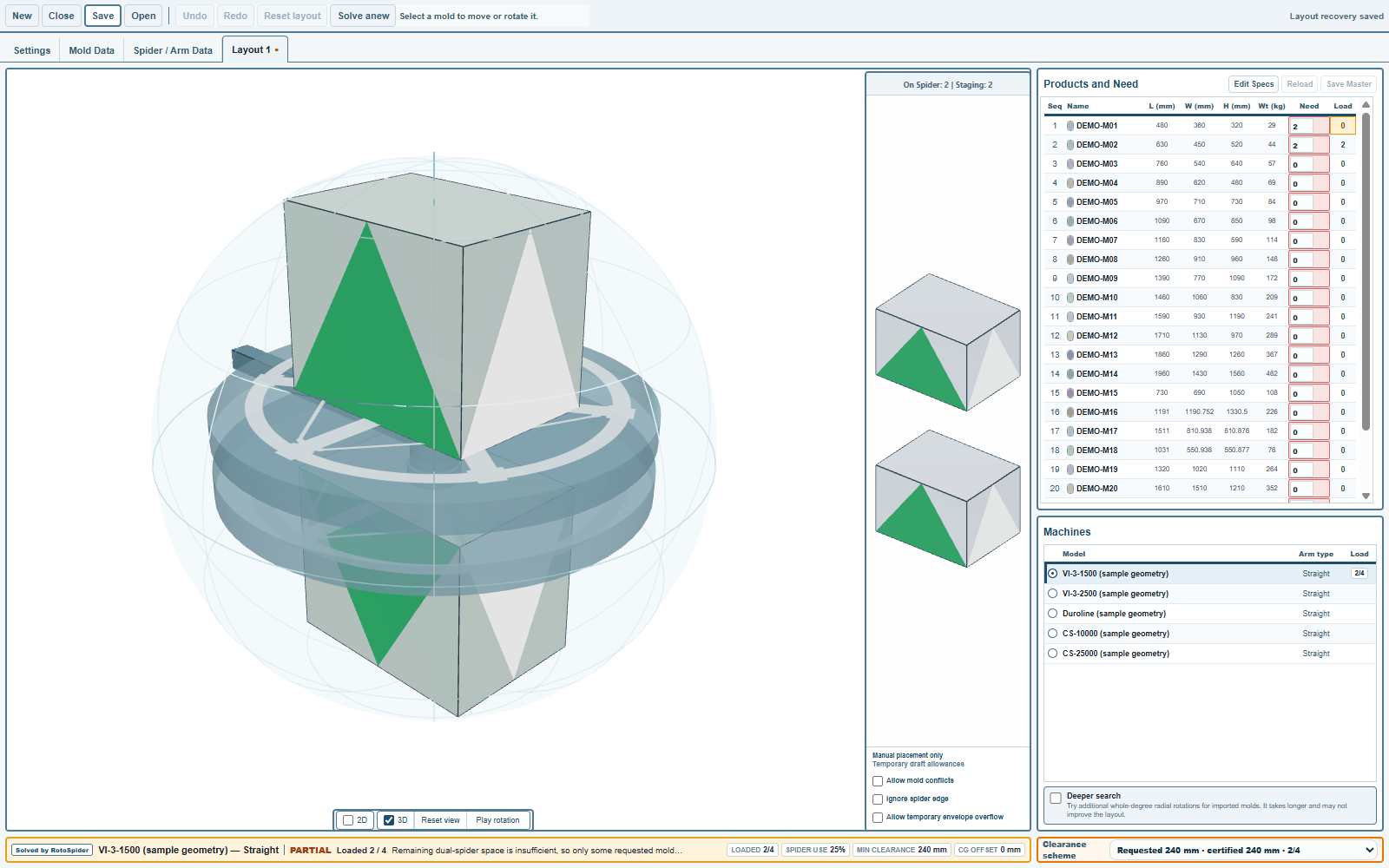
The 3D scene shows the arm turning with its molds; Pause rotation stops it and Reset view puts the camera back. Tick 2D for the plan of each spider from above, with the clearance drawn as a dashed line around each mold; untick 3D to give the plans the whole width. Drag with the mouse to orbit, scroll to zoom.
Clearance scheme at the bottom right lists the layouts the app has for this request at different clearances, each as Requested 240 mm · certified 240 mm · 4/4: first the layout at your target clearance, and, when your minimum is lower and closing the gaps would place more molds, a second one at the relaxed clearance it certifies. Choose the second and the layout switches to it at once. The clearances page explains the two settings.
A partial result is information
A partial result is not a failure. It says how far this arm gets with this set of molds: try another machine, change a mold's size for the question, or move molds by hand, on the next page and the editing chapter.
Comments and questions
The app's rules are our reading of the physics; where your plant knows better, the app changes.