RotoScheduler manual › Documents and files
Save and reopen a plan
Describes RotoScheduler 0.3.3 · checked 2026-10-19 D5
Click Save and choose a filename and folder. A schedule document is a .json file. It keeps the factory inputs, orders, plan, saved moves, notes, board view, production log and clock setting.
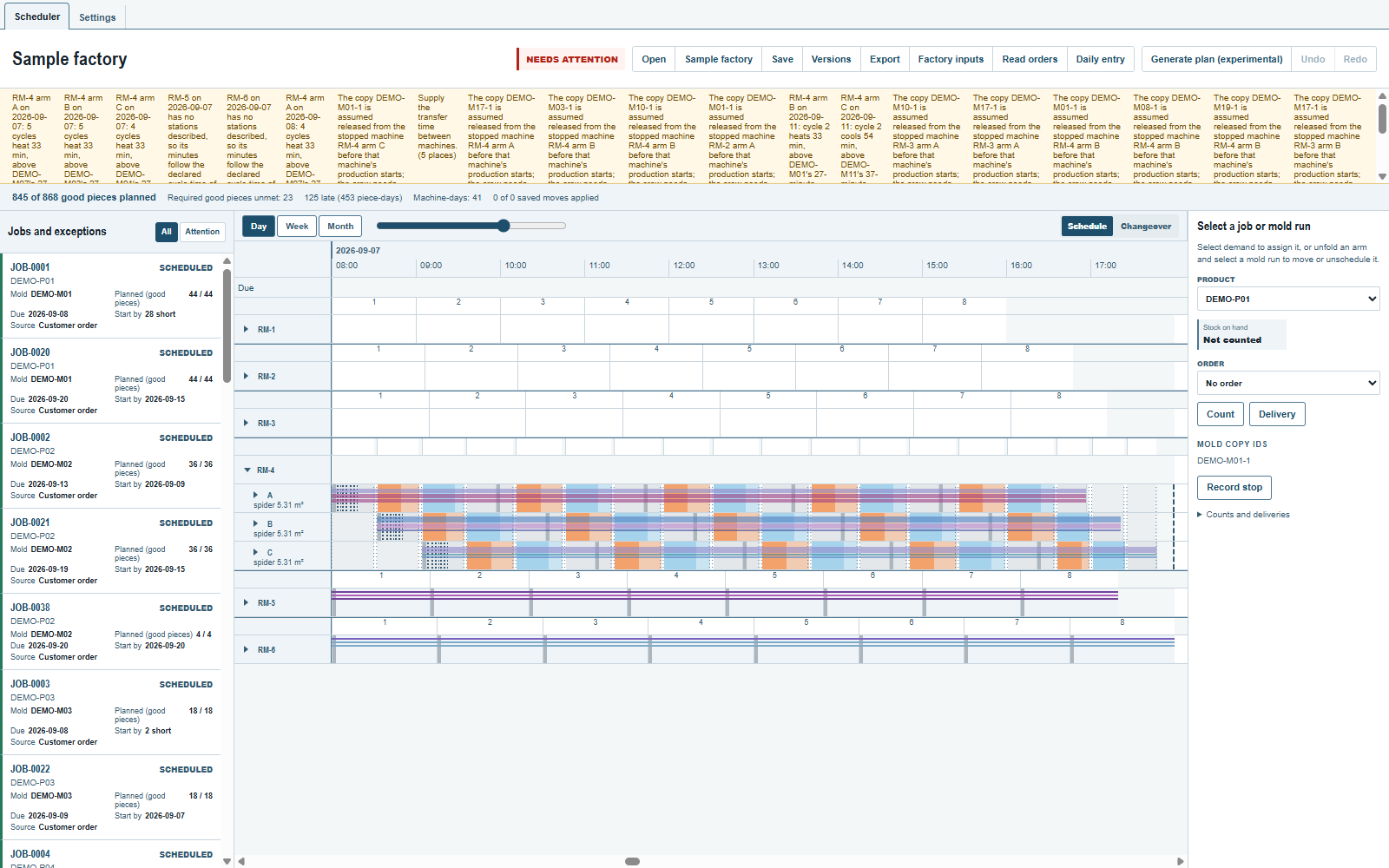
To try reopening, set September 7 to Day with RM-4 unfolded, save the file, then click Open and select it again. The plan returns with the saved view. The app works on one schedule document at a time.
What each kind of file keeps
| Item | Where it lives and what it keeps |
|---|---|
| Working document | Saved as you work, including the board view and saved moves, as a file in the app's data folder: in the trial, data\trial\schedule\current.json in the working folder on Windows and Documents/RotoSpider/trial/schedule/current.json on macOS and Linux (the data folder shared with RotoSpider). The desktop app opens it at startup; a copy of the data folder carries it. |
Saved schedule .json |
A file in the folder you choose with Save; the desktop dialog starts in Documents. Open resumes it or transfers it to another computer. |
| Named version | A labelled copy of this plan, a file in the data folder's schedule/versions. Not carried inside an ordinary saved schedule file. |
CSV or .xlsx export |
A sheet in the location you choose, for reading and sharing. Not a saved schedule document. |
| Support bundle | A local ZIP with the session evidence used to investigate a problem, exported from desktop Settings. |
Use Save for a portable copy of one plan. In the browser, the working document and its versions stay in the site's storage: clearing site data removes them, and downloaded files stay where the browser saved them.
The browser opens stored plans that do not need automatic planning. A desktop document that requires Generate may be refused by the demo; keep such a plan in the desktop application.
Opening an older file for the plant already in use keeps the live production log. The file is first opened with its own log and saved moves to recover its board. That board is then checked against the live dispatches: protected cycles and mold removals come from their dispatch, and unprotected loads that no longer fit come off and are listed. The accepted board starts a new Undo history. A file for another plant replaces the current plant and its log. A named version restores only the plan against today's facts; see Keep a named version.
Not supported
- Two RotoSchedulers open on one data folder at once: two versions side by side, or two computers syncing the folder. The folder holds one working plan, saved whole at every change, a zoom included, so once one window changes it the other refuses every change with "This plan was changed by another RotoScheduler on this data folder. Close this window and open it again." It can still save a named version or a file, and close; after a refused
Factory inputs, file or version open,DispatchorTake back,VersionsandSavestay disabled untilRestore saved planis clicked. Nothing is merged, and a folder synced between computers can still lose a change that arrives during a save. - A plan or version written by a version of the app with another file schema: such a plan opens on the damaged-autosave panel, whose starter replaces it (
schedule/quarantine-current.jsonkeeps the last copy); versions saved by 0.3.1 or 0.3.2 are not listed, their files remain. Save to a file before switching versions. - Files under
scheduleedited or copied by hand: one damaged version file stopsVersionsfor every plan. A crash during a save can leave a.tmpfile there, which nothing reads. - Two versions, or RotoSpider and RotoScheduler, open on one account's data folder, or two computers syncing it: each
ApplyinSettingswrites back the settings it loaded, so the lastApplywins. - Dispatch lines brought back from another computer are not merged into the live log. Returning to a replaced plant from an older file and recovering its identity from damaged storage are not supported.
- The compact document is limited to 8 MiB, and an opened file to 64 MiB. There is no archive of old production-log lines yet. Reopening a plan solves its mold layouts again from today's facts; it does not preserve the previously accepted layout.
Comments and questions
The app's rules are our reading of the physics; where your plant knows better, the app changes.