Docs › RotoScheduler manual › Jobs and the factory
The machines an order may run on
Describes RotoScheduler 0.3.0 · checked 2026-09-24 D5
An order can say which machines it may run on. The plan keeps to that list everywhere: in Generate plan (experimental), in a hand assignment, in a move, in the board's room, and when a saved plan is opened.
The Allowed machines column
In Factory inputs, the Jobs table has a column Allowed machines after Deferrable. Open an order's disclosure: it reads Any machine until you touch it. Tick a box for each machine the order may run on; the boxes are offered in the same order as the machine cards above, one per machine the plan configures.
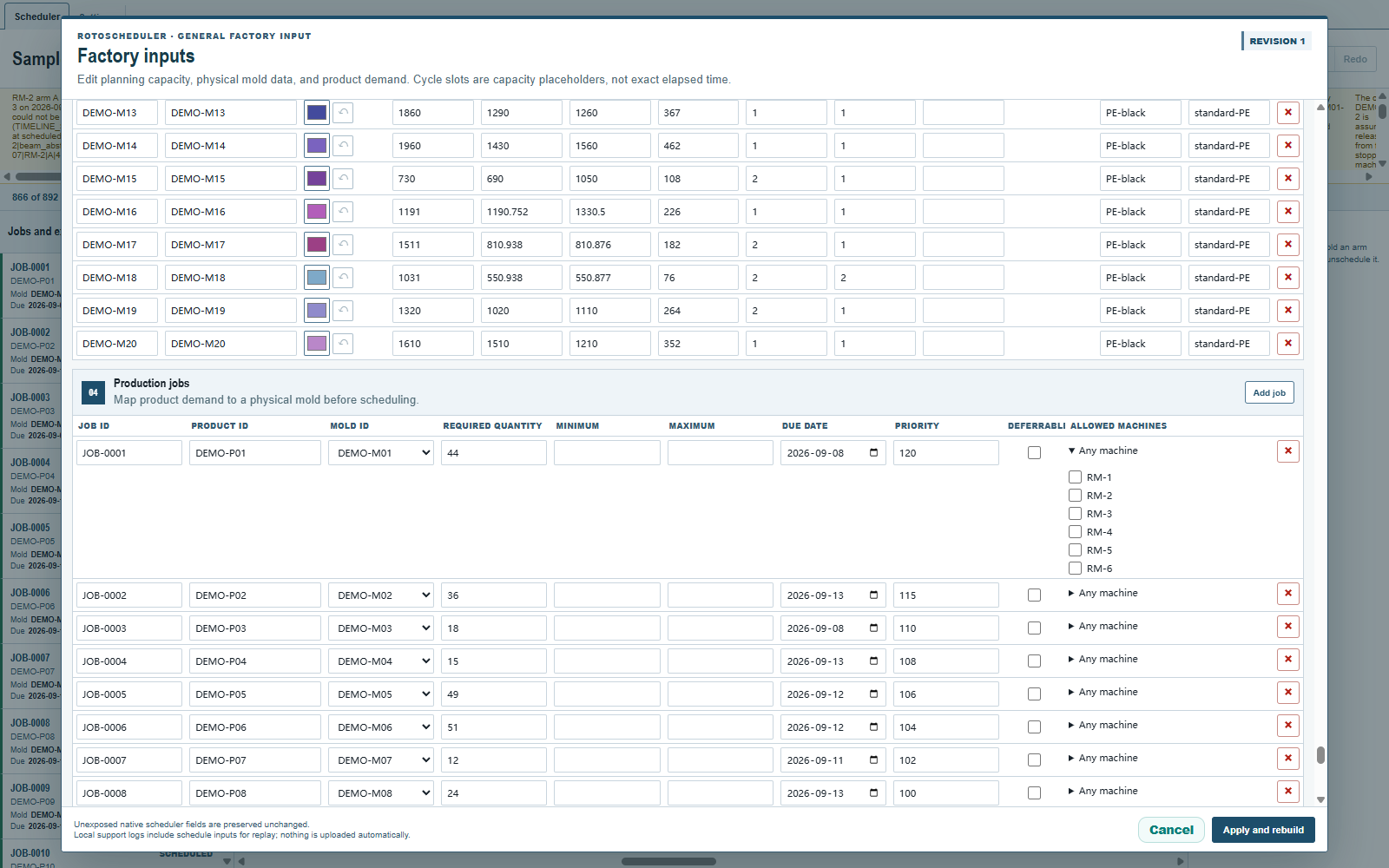
- Untick every box to remove the restriction; the disclosure reads
Any machineagain. - Ticking every box is a real list of these machines only. A machine added later is not part of it.
- The order of the boxes has no effect on the plan.
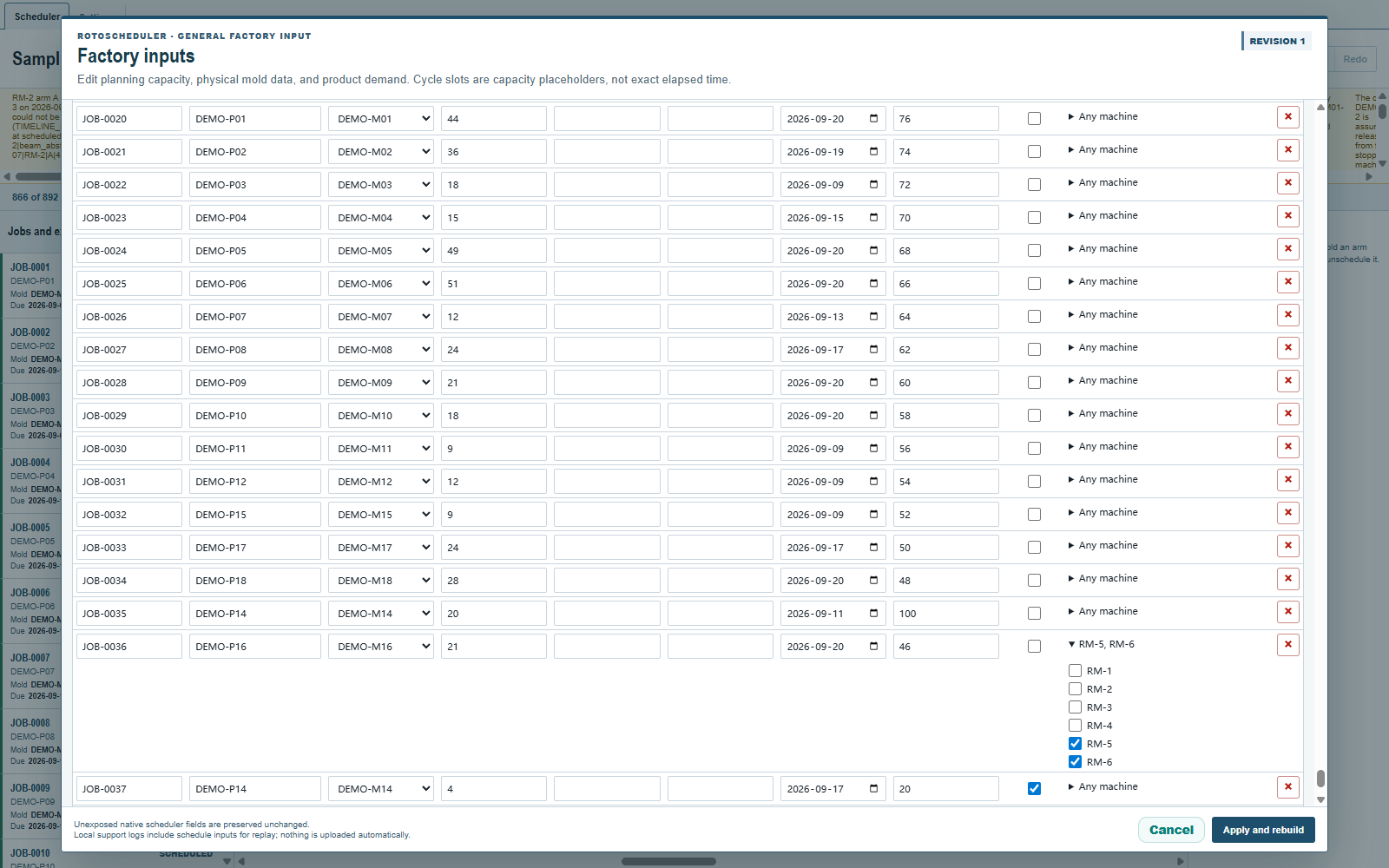
Click Apply and rebuild: the plan is regenerated, as after any other change in the dialog. A restriction cannot be added while keeping the hand-placed loads of the plan before it.
On the board
Select the order. Machines on its list show room as before; a machine off the list shows cells with no room, and the reason reads This job may not run on that machine. A hand assignment or a drag onto such a machine is refused with the same sentence, before anything else is checked.
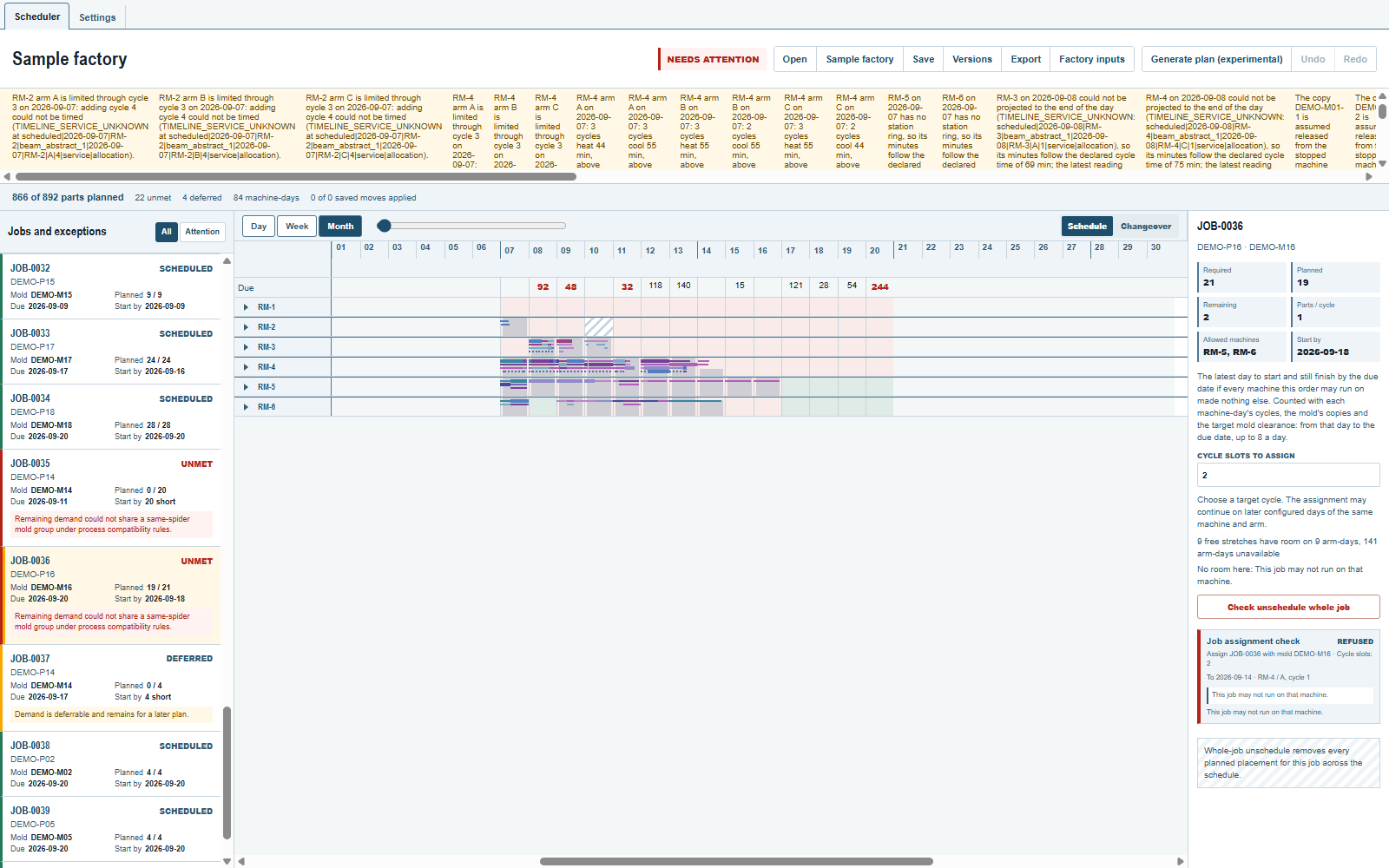
The restriction is the order's own. It does not change what the mold itself may run on; both must agree for a machine to be usable. A partly planned order whose listed machines are full reads the same shortfall reason as any other order; the reason does not name the list.
Renaming and removing machines
Rename a machine's id in its card and leave the field: every order's list that named the old id is rewritten in the same step. A blank id, or one another machine already has, is refused (A machine needs an ID., Another machine already has that ID.) and the field goes back to its value.
Remove a machine's last day and every list that named it drops the id; an order whose list is then empty reads Any machine.
A saved plan that breaks the rule
A plan file whose stored production credits an order to a machine off its list is refused when opened, with the location and the sentence Stored production credits a job on a machine where it may not run. Nothing is repaired in silence; fix the list or the plan in the file that made it.
Where to look next
- Minimum, wanted and maximum for the other new fields of the Jobs table.
- Each order's start-by day: the day counts only the machines on the order's list.
Comments and questions
The app's rules are our reading of the physics; where your plant knows better, the app changes.