RotoScheduler manual › Edit the plan
Keep a named version
Describes RotoScheduler 0.3.3 · checked 2026-10-16 D5
Click Versions. Enter Before planning changes in Version label, then click Save as version.
A version is a saved plan. Opening it keeps today's orders, stock and machine-days.
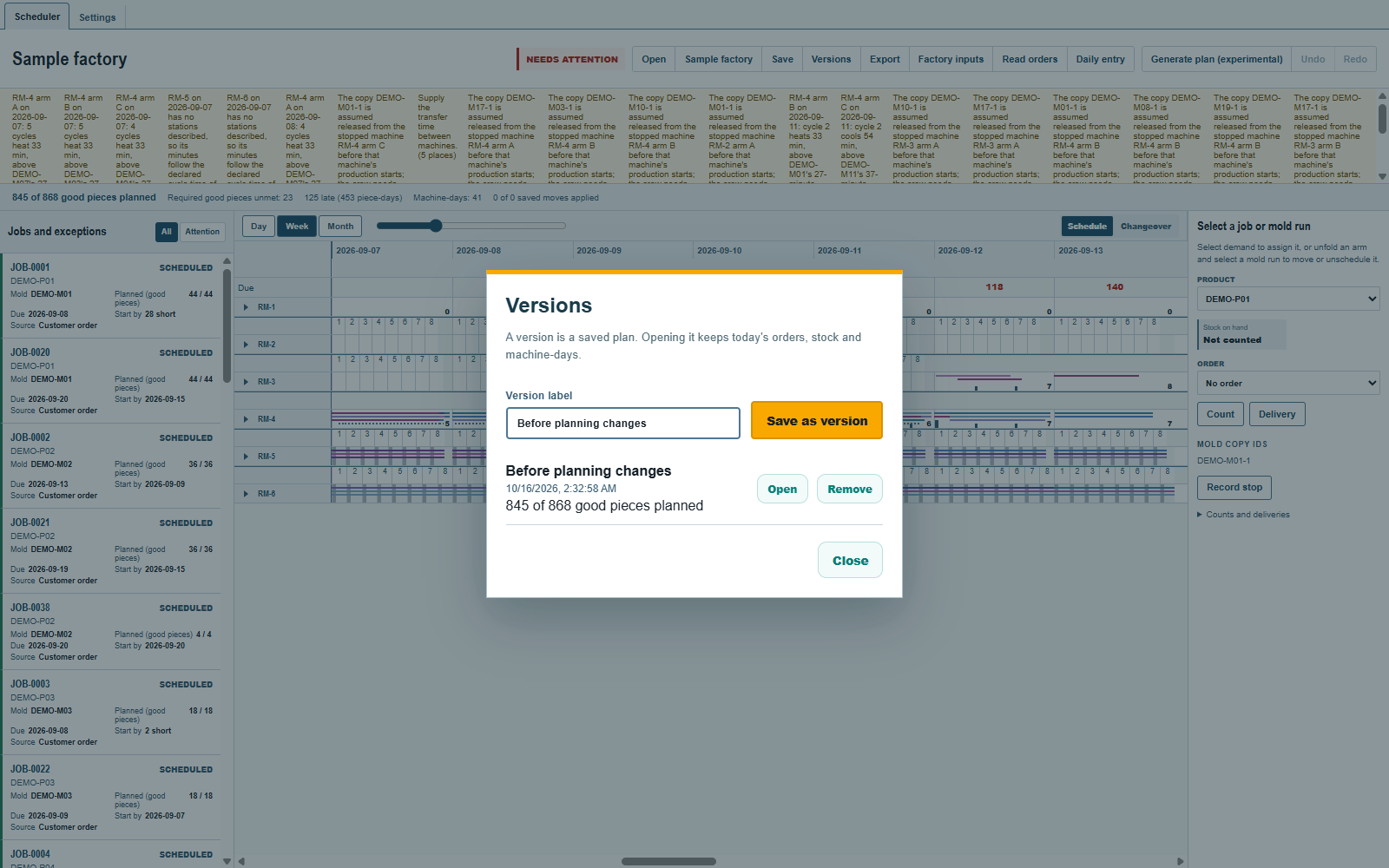
Each entry shows its label, saved time and parts-planned summary. Open makes that version the working plan again; save another version first if you want to keep your current work. Close returns to the board.
A named version keeps the board's loads and mold removals in the desktop app's data folder or in the site's storage in the browser. Opening it keeps today's plan name, colors, view and production log. Protected cycles come from their report or dispatch; protected mold removals come from their dispatch. The rest of the plan comes from the version. Unprotected loads that no longer fit today's facts come off and are listed, as when applying Factory inputs. Hand edits are cleared from Undo.
The Versions list is not carried inside an ordinary saved schedule file; Save and reopen a plan says what each kind of file keeps. Keep a version before an experiment with the plan, and a saved file before a large change of Factory inputs.
Dispatch and Take back
Clear the selection, select a machine-day and click Dispatch in the selection details. It records every arm's production cycles, including empty cycles, their planned begin and end times, their molds and pieces, and the day's mold removals in the production log. It also records the orders each cycle's good pieces serve, with each order's number and customer. The same line records the whole plant's required pieces unmet or late and late piece-days, by order and stock rule, at that moment. The board stays in place. Hatching marks the protected cycles; the whole day is hatched while its dispatch is in force. A refused hand edit names the dispatch that protects it.
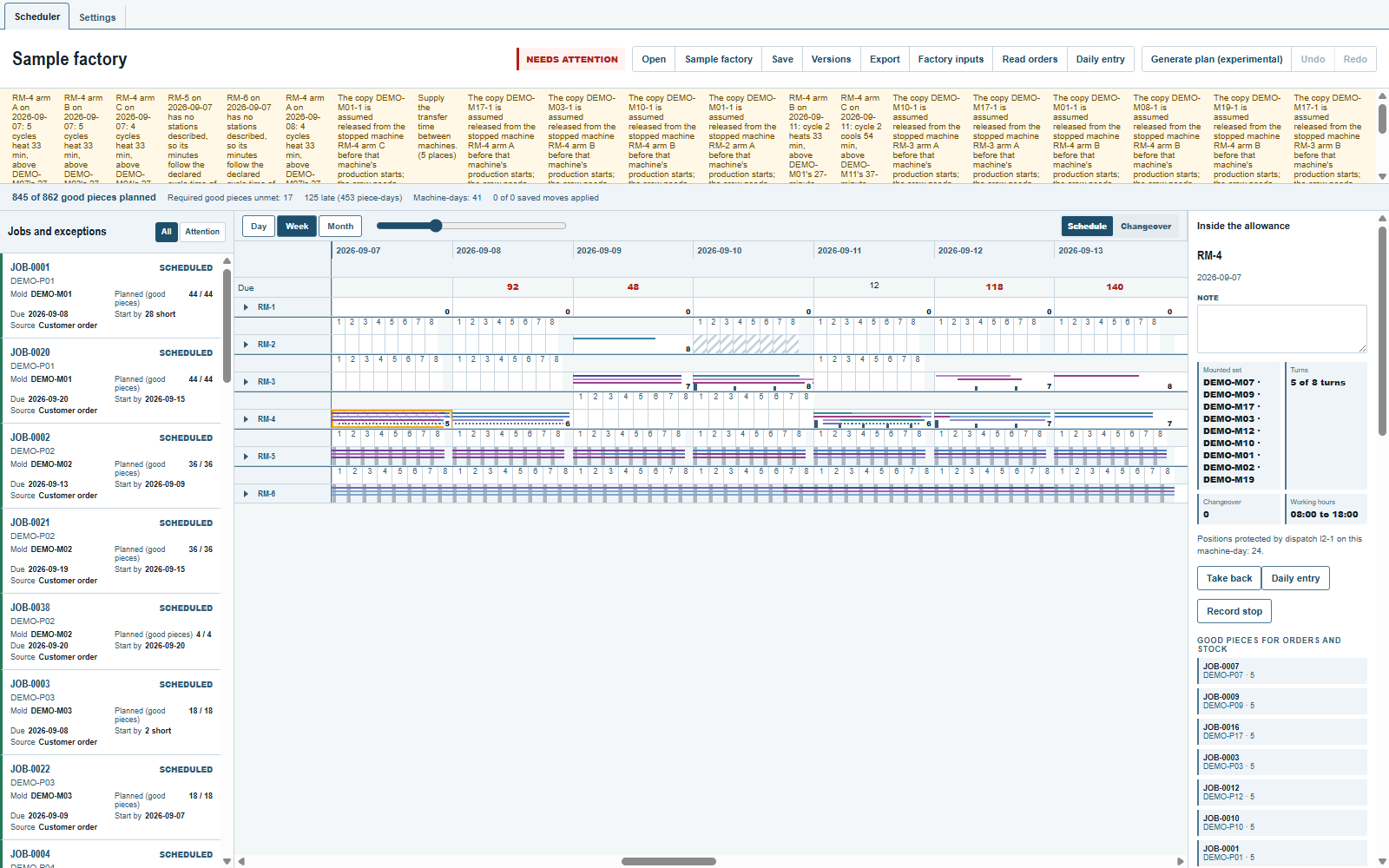
Take back withdraws the dispatch. Cycles whose recorded begin is at or before that moment stay protected, including empty cycles. Reported cycles stay protected even if their dispatched begin is later. A mold removal stays protected if its own recorded begin has arrived. Later work is freed permanently by that withdrawal, even if the plan's times change. The freed loads are checked against today's facts; those no longer allowed come off and are listed. You may dispatch that machine-day again.
Once a machine-day has been dispatched, the board outlines cycles and loads that changed since this machine-day's first dispatch. A dotted outline means only the orders changed. The run's details show before and after; the machine-day's details list the orders whose pieces changed, beside the test against the last dispatch. The changes section appears only while something has changed. The marks stay through further dispatches.
Generate plan (experimental) keeps the protected work and plans the free cycles of the same day. An unprotected cycle can be planned even if its projected start is before now. Both Dispatch and Take back save the document and restart Undo; neither production-log line can be edited, removed or undone. Use Count, Delivery and Report for actual stock, deliveries and production, and to read the test against the last dispatch. Use Record stop, End and Correct on that page to record a machine or arm stop. See What the trial does not do for the limits.
Opening a file under the document id already in use first opens that file with its own production log and history. Its final board is then checked against the live production log and becomes the stored plan with a new history. A file with another id keeps its own log and history.
Comments and questions
The app's rules are our reading of the physics; where your plant knows better, the app changes.