Docs › RotoScheduler manual › Jobs and the factory
Minimum, wanted and maximum
Describes RotoScheduler 0.3.0 · checked 2026-09-24 D5
A job used to state one number, its required quantity. From 0.3.0 it can state three: the fewest pieces that must be made, the number wanted, and the most pieces its production may count toward. A mold can also state what share of its pieces come out good, and the plan then counts starts instead of pieces.
Minimum, wanted and maximum
In Factory inputs, the Jobs table has two optional fields beside Required quantity: Minimum and Maximum.
| Field | Meaning |
|---|---|
Required quantity |
The pieces wanted. |
Minimum |
The pieces that must be made. Blank means the whole required quantity must be made, unless Deferrable is checked. |
Maximum |
The most pieces the job's production may count toward, at or above the required quantity. Blank means the required quantity. |
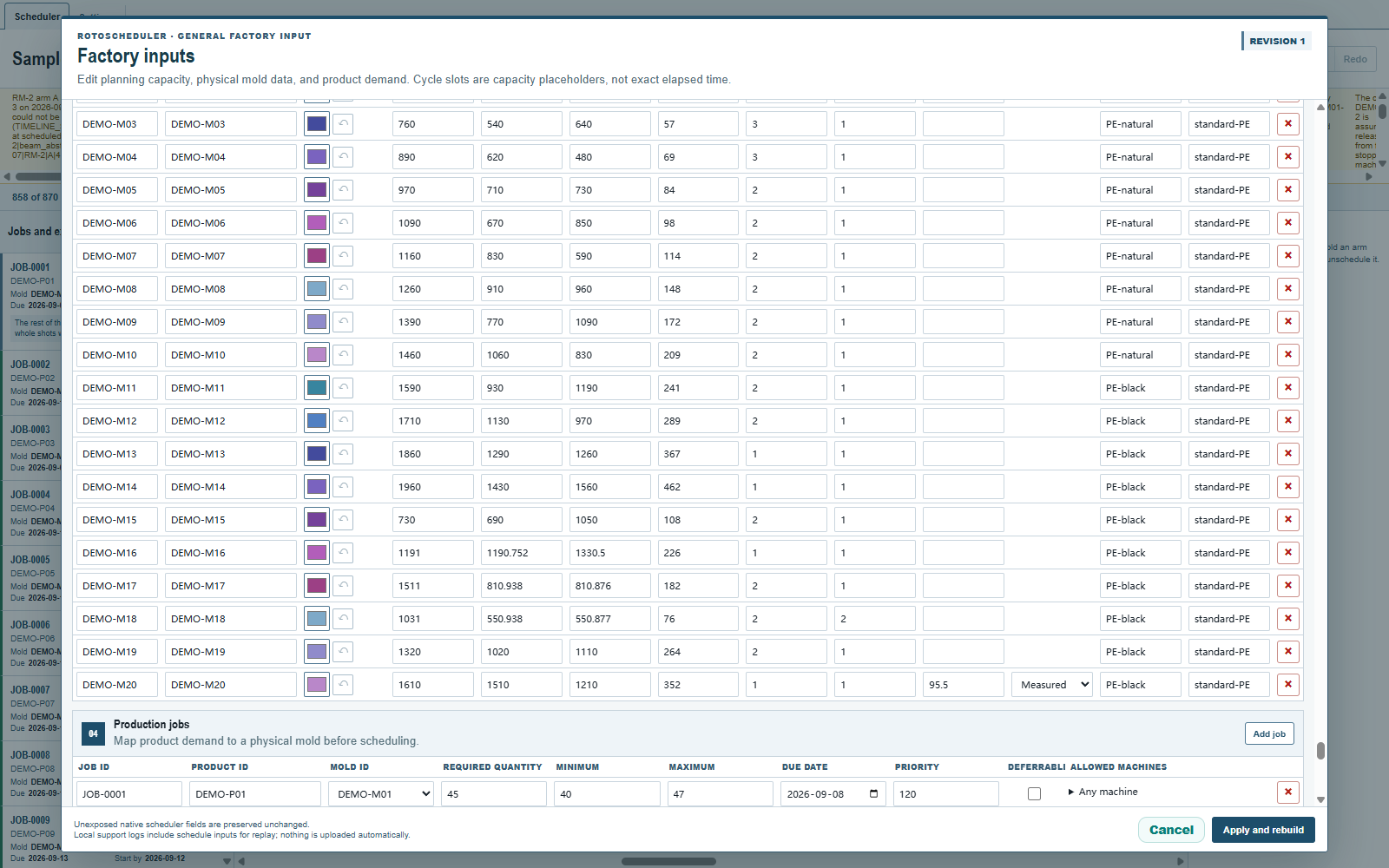
The three numbers keep to one another: a minimum is between zero and the required quantity, and it agrees with Deferrable (zero with the box checked, above zero with it unchecked); a maximum is at least the required quantity. Shots are whole: a shot makes as many pieces as the mold has copies and parts per cycle, so the plan needs a whole-shot total between the minimum and the maximum; a job whose three numbers leave no such total is refused when you apply, and the message names the mold, its pieces per shot and the two bounds.
The plan's target is the largest whole-shot total that stays within the maximum. With a minimum of 3, a required quantity of 5, a maximum of 6 and four pieces a shot, the target is one shot, four pieces: below the required quantity, above the minimum, so the job reads Minimum met once it is planned. Pieces a shot makes beyond what every job on that mold wanted are counted, never dropped: the inspector shows them as Extra pieces of this mold.
The fourth state
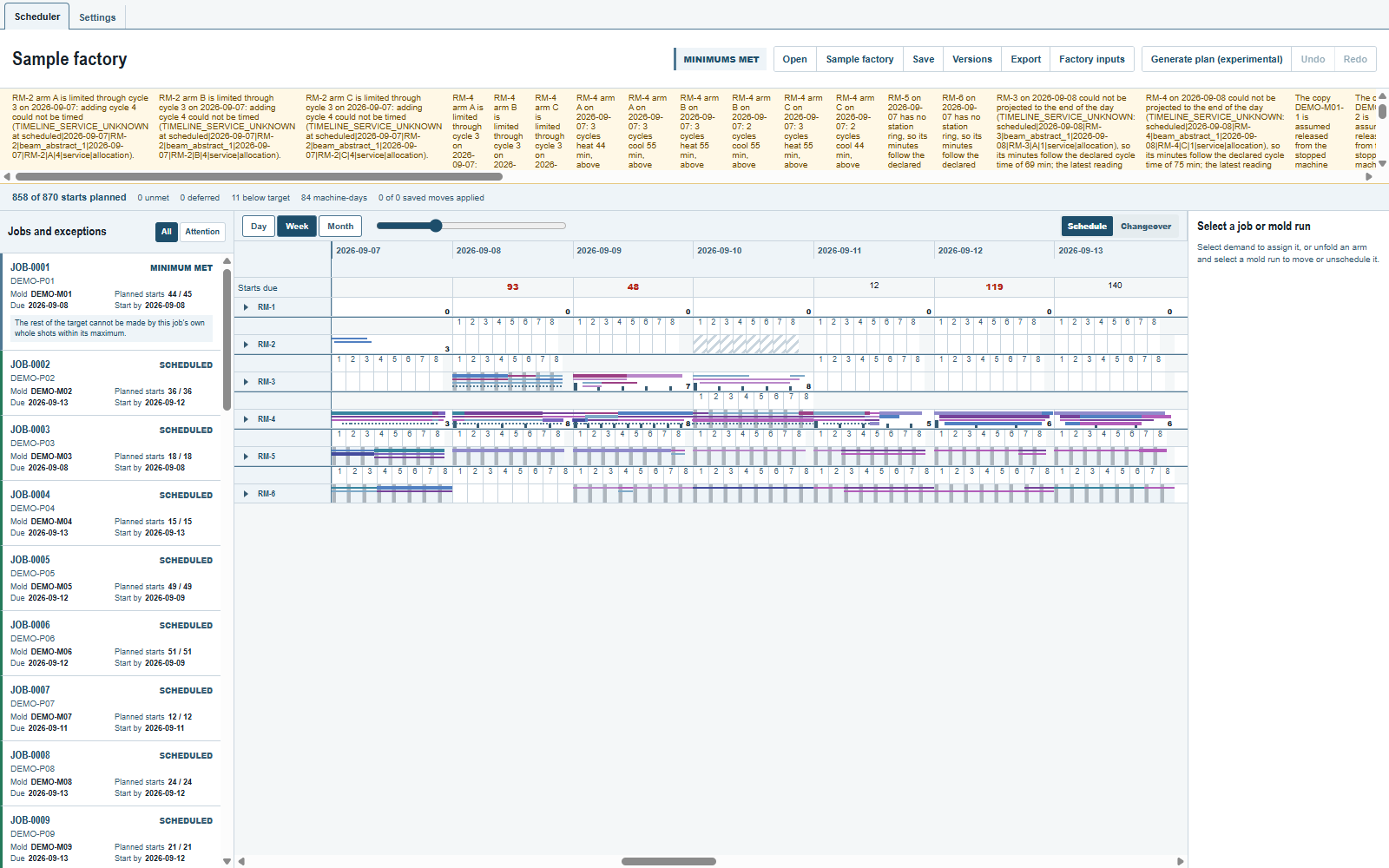
The job states gain a fourth: Minimum met. The job's must-have pieces are planned, its wanted quantity is not. The plan's status chip reads Minimums met when that describes the whole plan, between Needs attention and Plan complete, and the summary strip counts the pieces below target ({count} below target) beside the unmet and deferred ones.
A job whose maximum stops its shots short of the exact wanted number says so in its reason: the maximum, not the machines, is what stopped it.
Good share: planning in starts
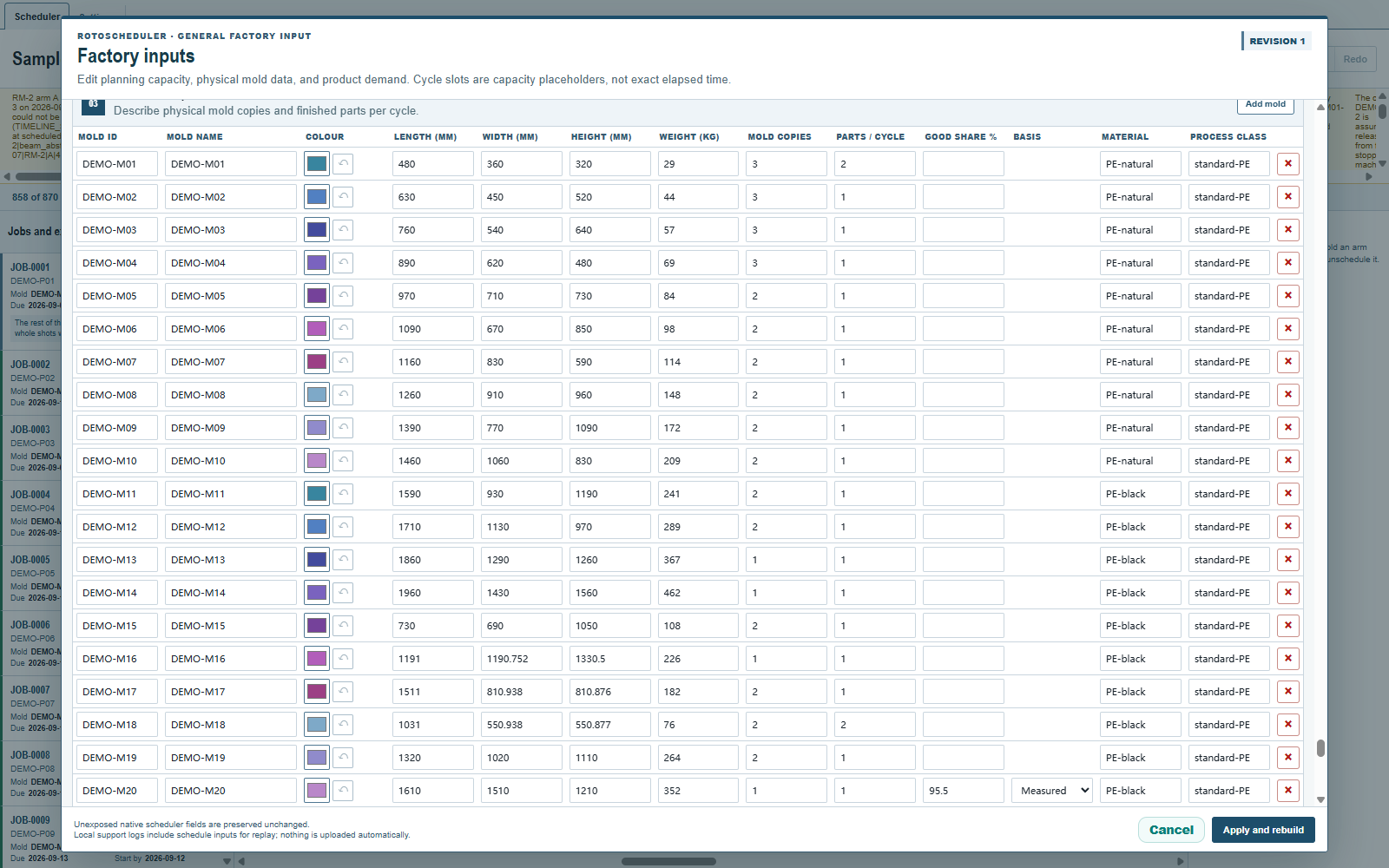
Some molds do not make every piece good. In the Molds table, Good share % states the share of a mold's pieces that come out good, to one decimal (95.0), and Basis says where the number comes from: Measured, Standard, Estimated or Default. Leave Good share % blank for a mold whose pieces are all good; nothing changes for it.
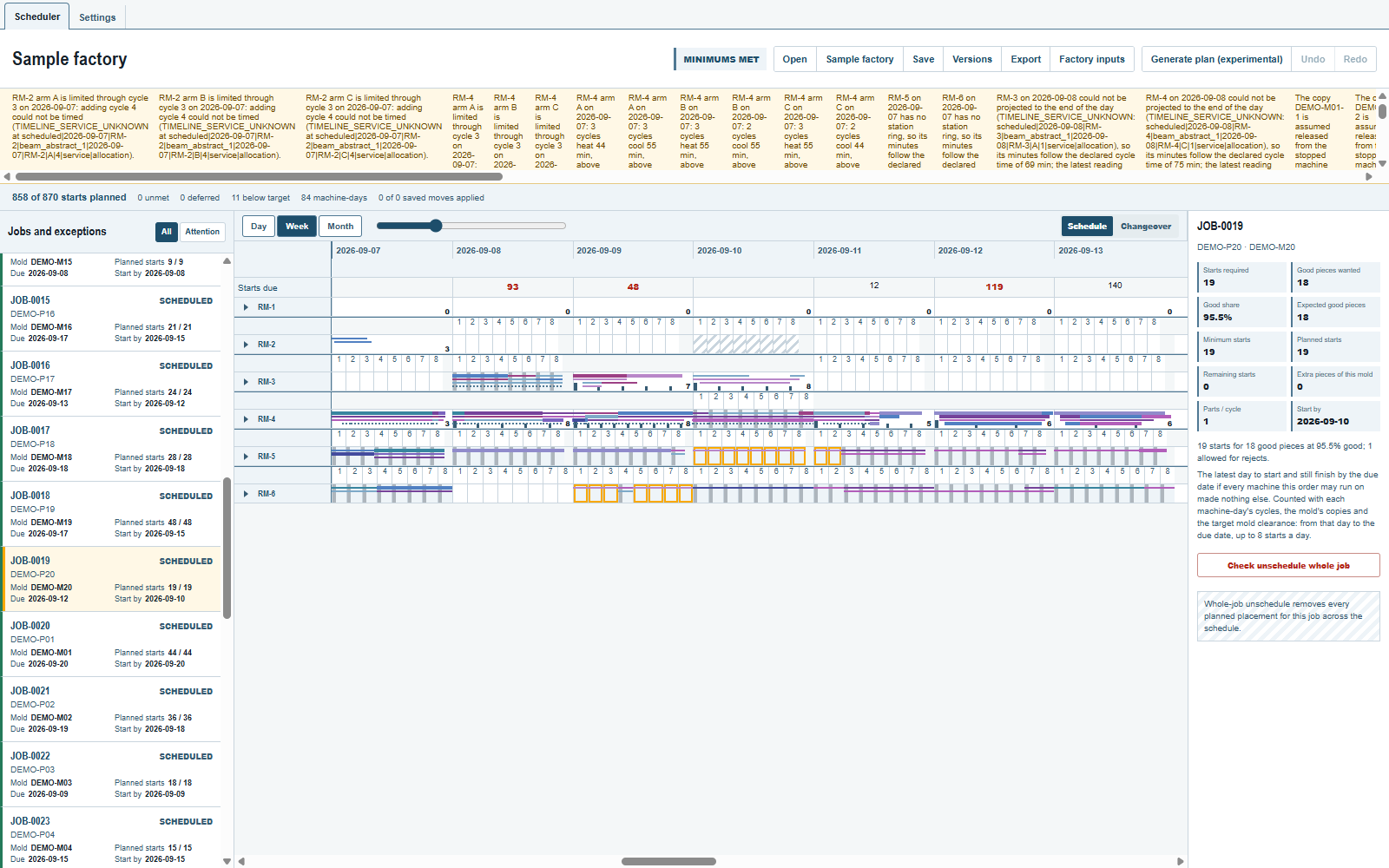
Once a mold on the plan states a good share below 100, that mold's quantities are shown as starts: the pieces loaded into the mold, not the good pieces a customer receives. The words change with them: Starts required, Planned starts, Minimum starts, Maximum starts, the summary line reads {planned} of {total} starts planned, and the due lane reads Starts due. The plan converts each of the job's three quantities into the fewest starts whose expected good output reaches it, plans shots against the starts, and never under-plans for expected scrap.
Select such a job in the inspector to read its Good share and its Expected good pieces beside the started total, with a one-line breakdown of how the starts were counted.
The good share is a planning figure. Actual good pieces come from production records, which this release does not read.
Where to look next
- Jobs and exceptions for the states and the summary strip.
- The machines an order may run on for the other new column of the Jobs table.
Comments and questions
The app's rules are our reading of the physics; where your plant knows better, the app changes.