Docs › RotoScheduler manual › Read the board
When the day's time runs out
Describes RotoScheduler 0.3.0 · checked 2026-09-24 D5
From 0.3.0 the plan is worked out against the clock of each machine-day: a generated day stops offering cycles when the next one would end after the working window. This page says where the clock comes from and how to read a day that ran out of time. A move that would run late is described with the other moves, in Move a run, then undo; a mold copy that comes from another arm, in Mold bands and colours.
The clock of a machine-day
Each machine-day has one clock, and the board draws every cycle from it. The clock is the projected timeline when the machine's ring and arms let the app time the day to its end; otherwise it is the plant's stated cycle time, or a cycle time worked out from a stated daily turn count, and the day's caption says so, in the form "the cycle time of {minutes} min estimated from {declaration}". A day with no cycle time, no turn count and no cycle slots has no grid at all.
The timing statuses of Phases and timing are unchanged in name; that page says which machine shapes are timed now.
A generated day that runs out of time
Generate plan (experimental) fills an arm's cycles one by one and checks, after each, that the day still finishes inside its working window. The first cycle that would end after the window is taken out again, the arm is closed for the rest of the day, and the demand goes back to the job list for a later machine-day. A plant-declared daily turn count closes an arm the same way.
A closed cycle behaves like a cycle on an unavailable arm: inspect only, no drop accepted. The note strip says why, naming the arm, the cycle it is limited through and the cause: "{machine} arm {arm} is limited through cycle {limit} on {date}: adding cycle {refused} made {witnessArm}'s cycle {witnessCycle} end at {end}, after the {window} window." or "…, the declared cap."
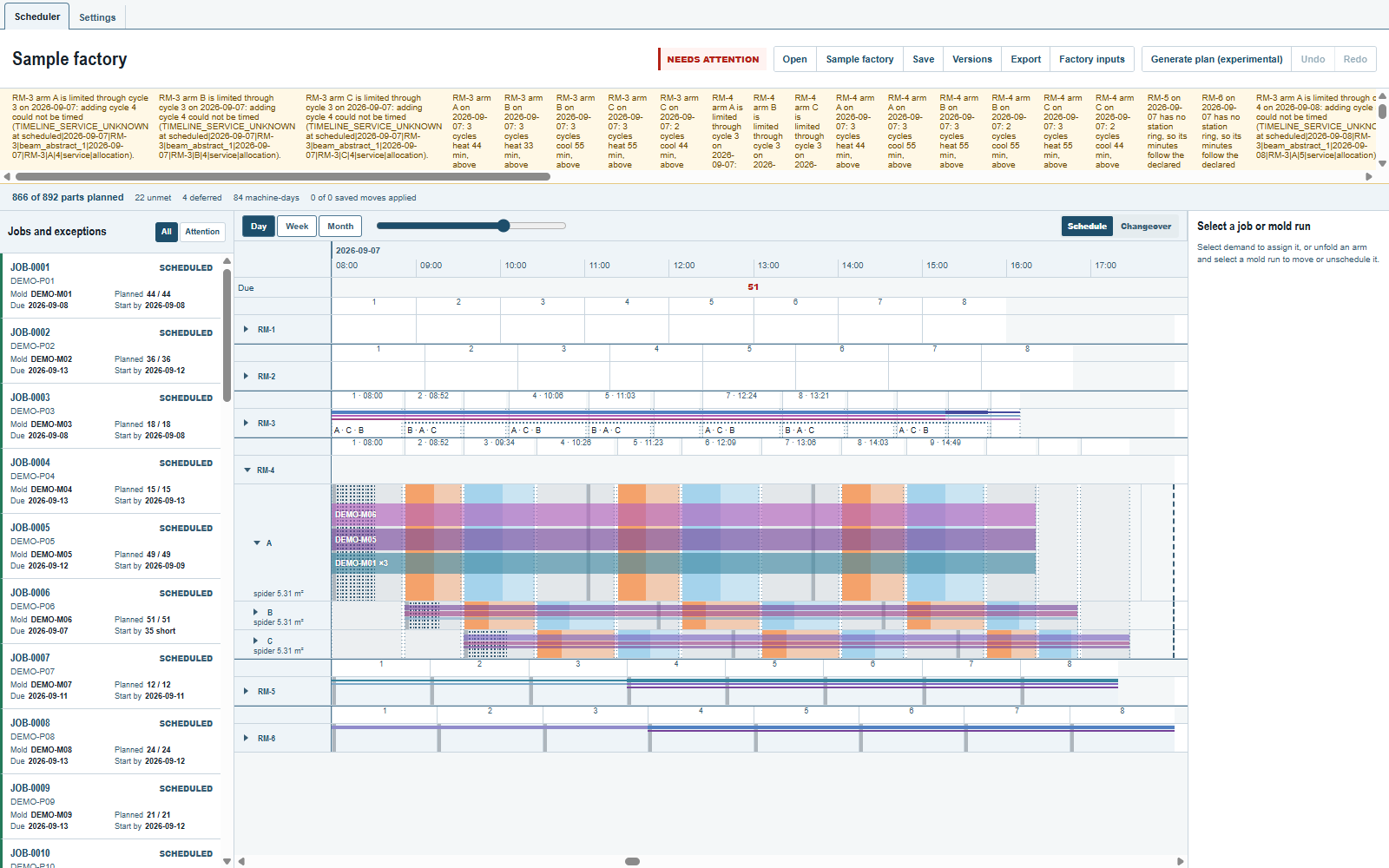
A stored or hand-built plan keeps every configured cycle; it only gets a note about what ends after the window.
A hand move that would run late
A drop that makes a scheduled cycle end after the window turns the preview yellow; the check names the cycle and its end, and the move applies only with Apply with warning. Move a run, then undo has the details.
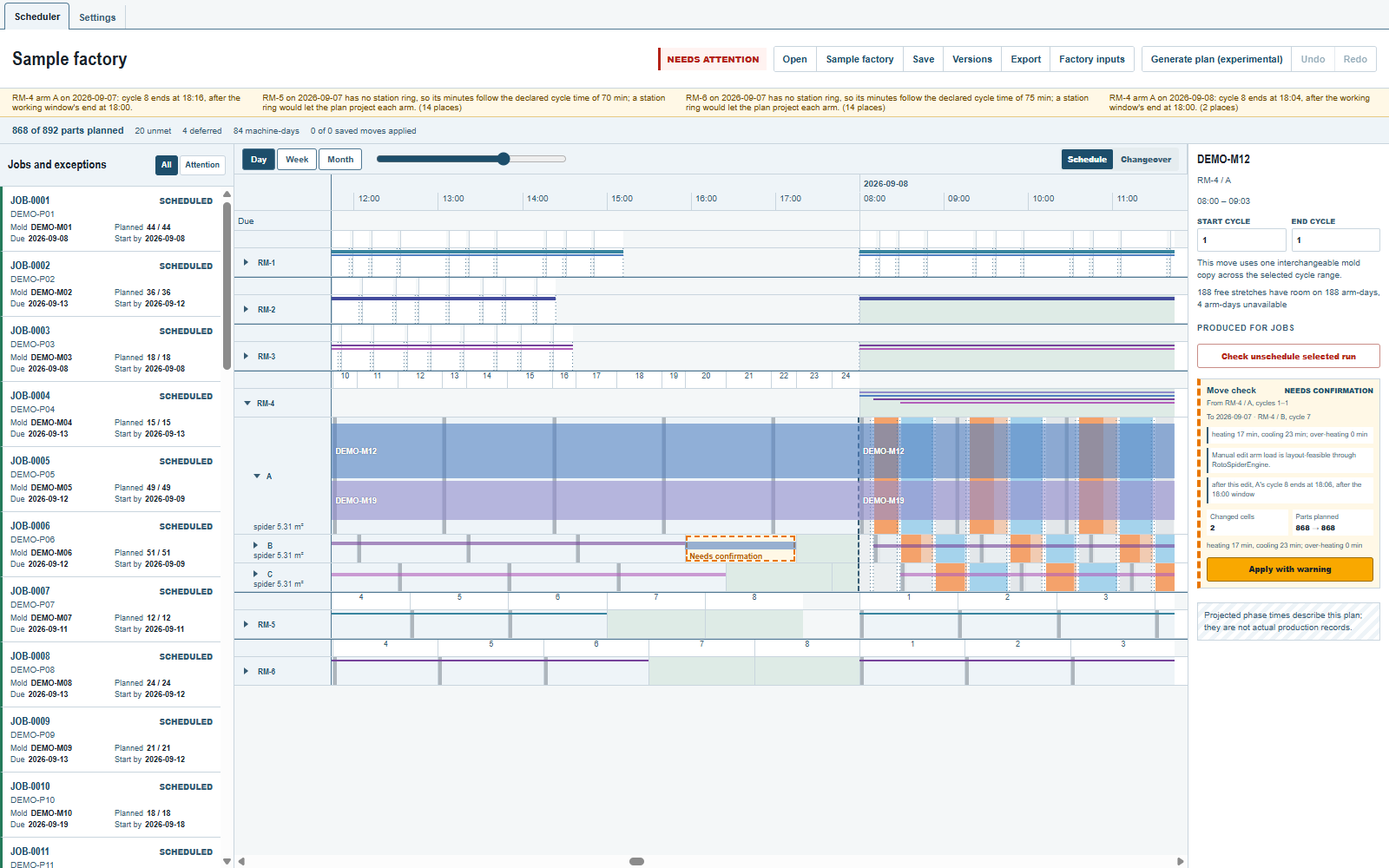
Reading a day that ran out of time
A closed cycle is not a fault of the plan: the day's clock says the arm could not finish another cycle inside the window. Read the note for the cause, then either give the day more time in Factory inputs (a later closing, more turns) or let the demand go to a later machine-day. Not in the browser demo, which keeps its own engine.
Where to look next
- Time, machines, arms and cycles for the day, arm and cycle definitions.
- Due work, closed days and changeovers for unavailable arms and closed days.
Comments and questions
The app's rules are our reading of the physics; where your plant knows better, the app changes.