RotoScheduler manual › Edit the plan
Count, Delivery and Report
Describes RotoScheduler 0.3.3 · checked 2026-10-16 D5
Use Count, Delivery and Daily entry to record what the plant counted, delivered and ran. They go into the production log. A planned piece is still a forecast until it is covered by a count or a report.
Count and Delivery
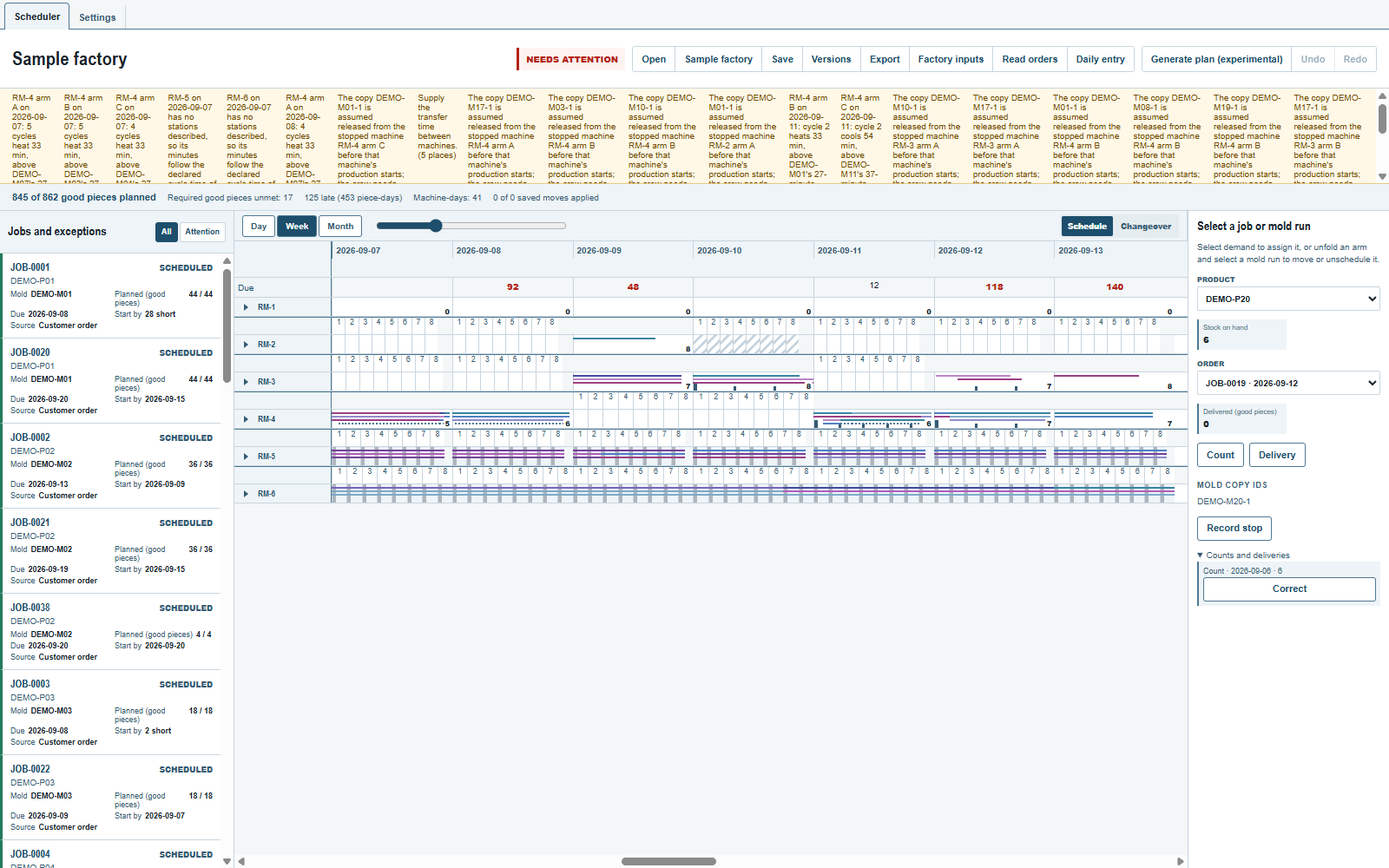
The stock panel is in the inspector to the right of the board. Select its Product; select an Order too when a delivery belongs to that order.
- Click
Count, enter theGood pieceson hand and theThrough day, thenApply. This is the stock at the end of that day, including production and deliveries through it. - Click
Delivery, enter theGood piecesdelivered and theDate, thenApply. Choose the order it serves, orNo orderfor a delivery that belongs to no recorded order.
Count opens on the last day whose production is over: today once every working window of today has ended, otherwise yesterday. At 07:00 before the shift it therefore opens on yesterday. Includes production through {day} explains the selected Through day, also when using Correct.
Stock on hand is the latest count, plus reported good pieces after that count's day, less deliveries after it. A report or a planned cycle through the count's day adds nothing again. With no count, the panel says Not counted; that is not a count of zero.
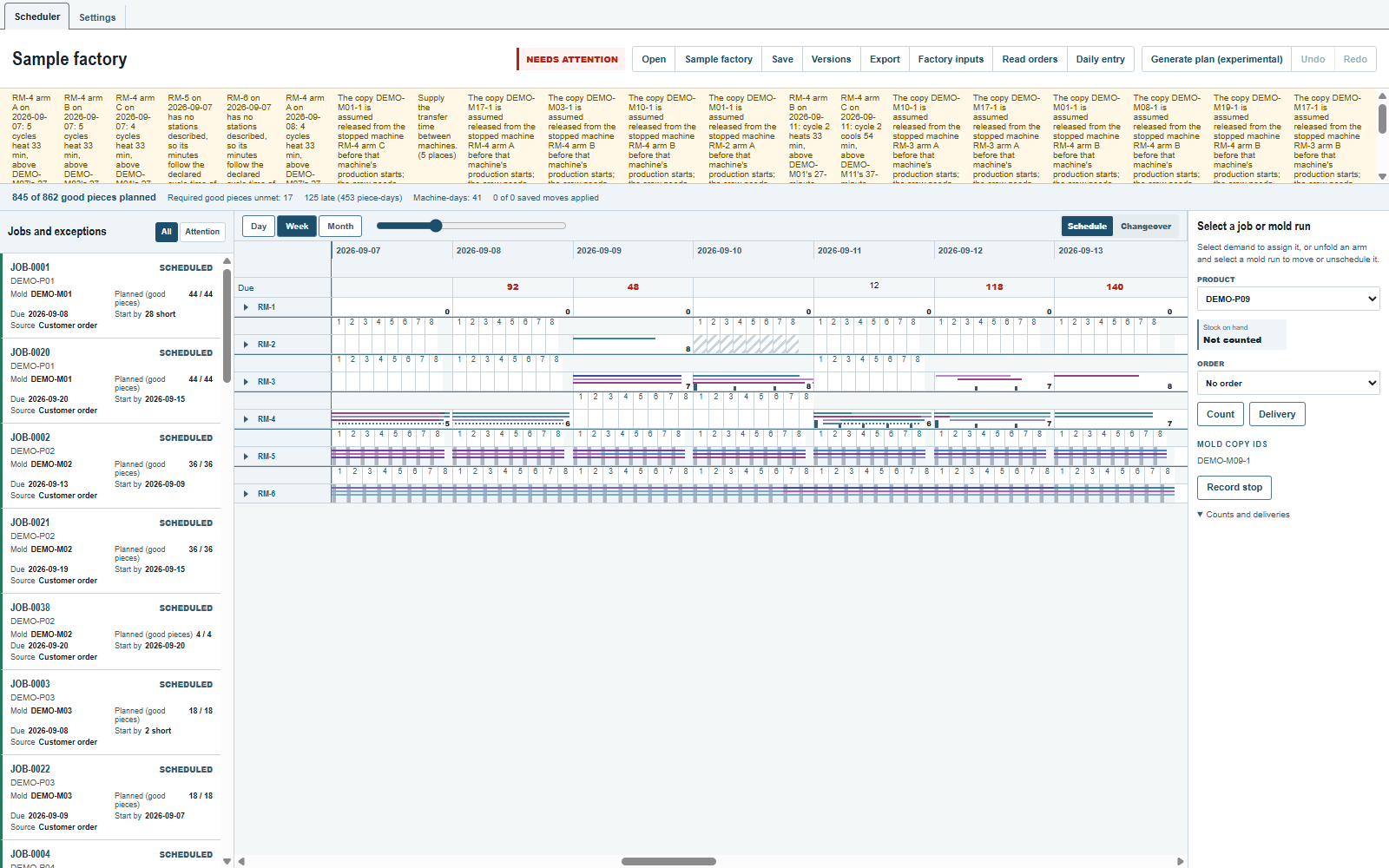
If the entries leave stock below zero, the panel says Missing or wrong line. Those figures cover no order or stock requirement. Check the entries; correct a wrong line or enter a new count of what is there.
Open Counts and deliveries to see the current lines for that product. Correct opens the chosen count or delivery. Enter the complete corrected line and Apply. The earlier line stays in the log and its replacement supplies the figures.
Close an order
In Factory inputs, an order with a delivery offers Close instead of removal. Click Close, then Apply. It shows Closed there, keeps its delivered pieces and owes no more pieces. It does not remove the product or its stock. See Jobs and exceptions.
The daily entry
Click Daily entry beside Read orders to open the last day whose production is over, with All machines selected. On a selected machine-day, use Daily entry beside Dispatch and Take back; on a selected run, use it in the inspector. Those buttons open that date and machine. Change Date or Machine in the form when needed.
Production can be reported without a dispatch. The form lists the date's positions by machine, arm and cycle, including dates before the plan's first date. A position no line protects starts with the plan's load, or no molds before the plan begins. Choose a mold's copies from its list, use Add mold to choose a mold, its copies and the product taking its starts, or use Remove mold with the mold's name. Planned starts follow the chosen copies and the mold's parts per cycle. Empty positions share one line per arm; use its Add mold to choose an unprotected cycle. A new row with no molds writes nothing. A correction must keep at least one mold; Apply is unavailable after its last mold is removed. Use Did not run to record a position that produced nothing, keeping its molds with zero pieces. A position protected by a dispatch keeps that dispatch's load and copies.
An unreported row starts as Ran only when its dispatched end has passed on the plant clock and no stop marks it impossible or at risk. A row whose dispatched end had passed when the machine-day's last report or Seen was entered starts as Not reported. Other rows start as Not reported. An unreported row without a dispatch always starts as Not reported. Check these choices and enter the actual Good pieces for each product. The initial good pieces are the planned starts; the mold's good share is not applied to measured pieces again.
| Status | What to enter |
|---|---|
Ran |
The cycle ran. Enter its actual good pieces. |
Partly ran |
Only part ran. Enter the good pieces actually made. |
Did not run |
The cycle did not run. Good pieces and non-conforming pieces are zero and cannot be edited. |
Not reported |
Save nothing for this cycle. This does not say it did not run. |
Reason, Start time and End time can be left blank when unknown. Under Ran or Partly ran, Non-conforming pieces can also be left blank. A blank does not assert zero or a time. Non-conforming pieces do not cover orders or stock requirements.
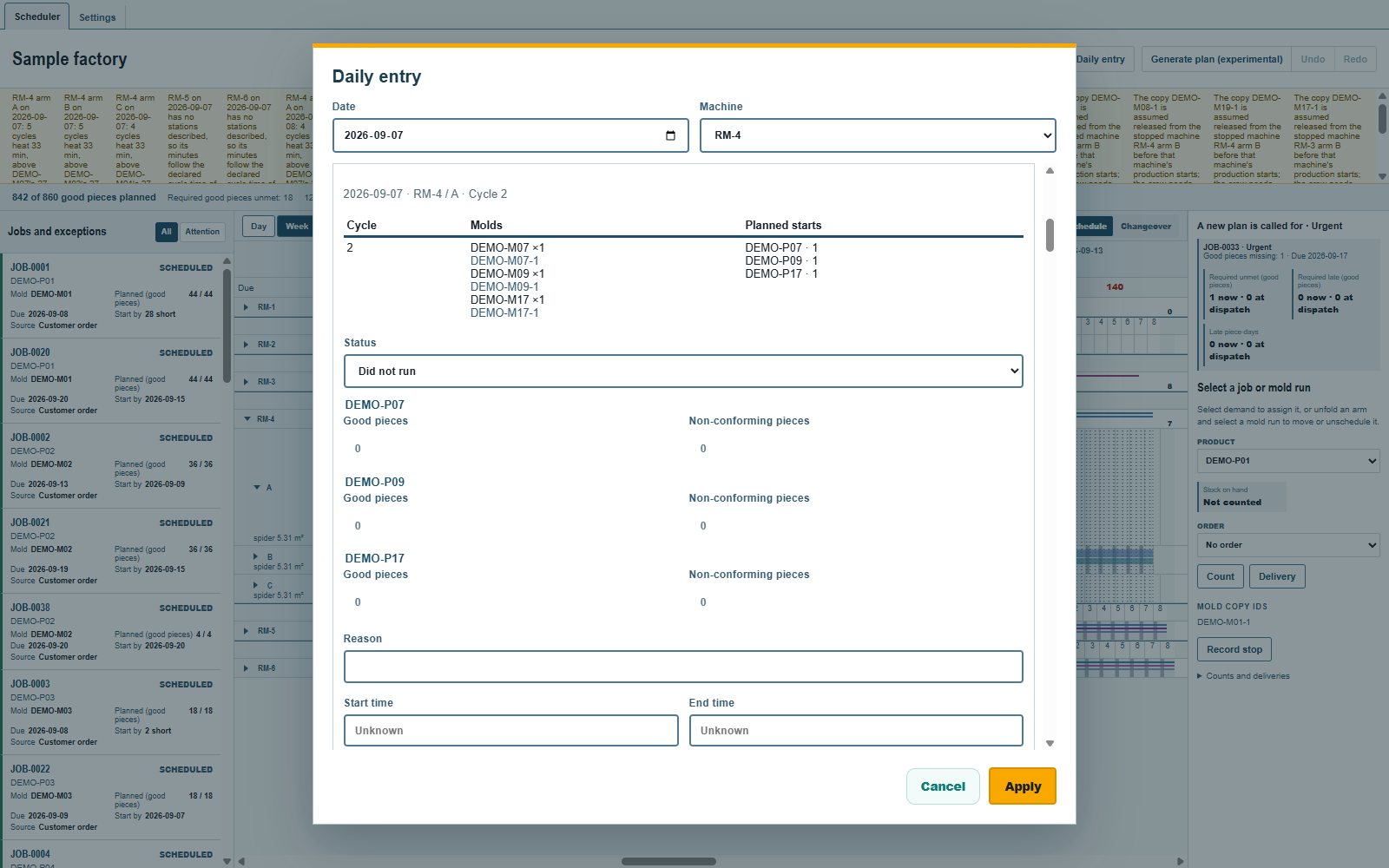
Under each arm, leave Not stated to record nothing about its mold copies. Choose Seen and the copies present at the day's end, or Seen empty to state that the arm is empty. None are chosen from the plan: a planned mounting is not an observation. The moment is the machine-day's working-window end, or the plant clock if earlier. Seen is available once that machine-day's working window begins. The arm's lines on that date appear by moment, each with Correct.
Click Apply once for the day's entries. Each reported row writes one cycle with the load the row shows; each stated arm writes one seen line. A report without a dispatch protects its position as a dispatch does; the inspector shows how many positions reports protect on the machine-day. An unprotected planned mold needing the same copy in that cycle, or on another arm too soon before it on the same date for the copy to move, comes off and appears in Taken off the plan. Good pieces count once in stock, replacing that position's forecast. Reported cycles stay protected through Take back, Generate, Undo, opening a version and reopening a file. Production rows do not record where a copy is; the seen lines do.
A reported row shows its current line. Correct opens its complete replacement. A one-cycle line stays one cycle. An older report covering several cycles stays its whole range, starting with its own loads and one total per product; that total is never spread across the cycles. When the report protects the position, Correct can change its molds and copies, even after that machine-day is dispatched. The report remains the protection source. A copy line's Correct also replaces that line whole.
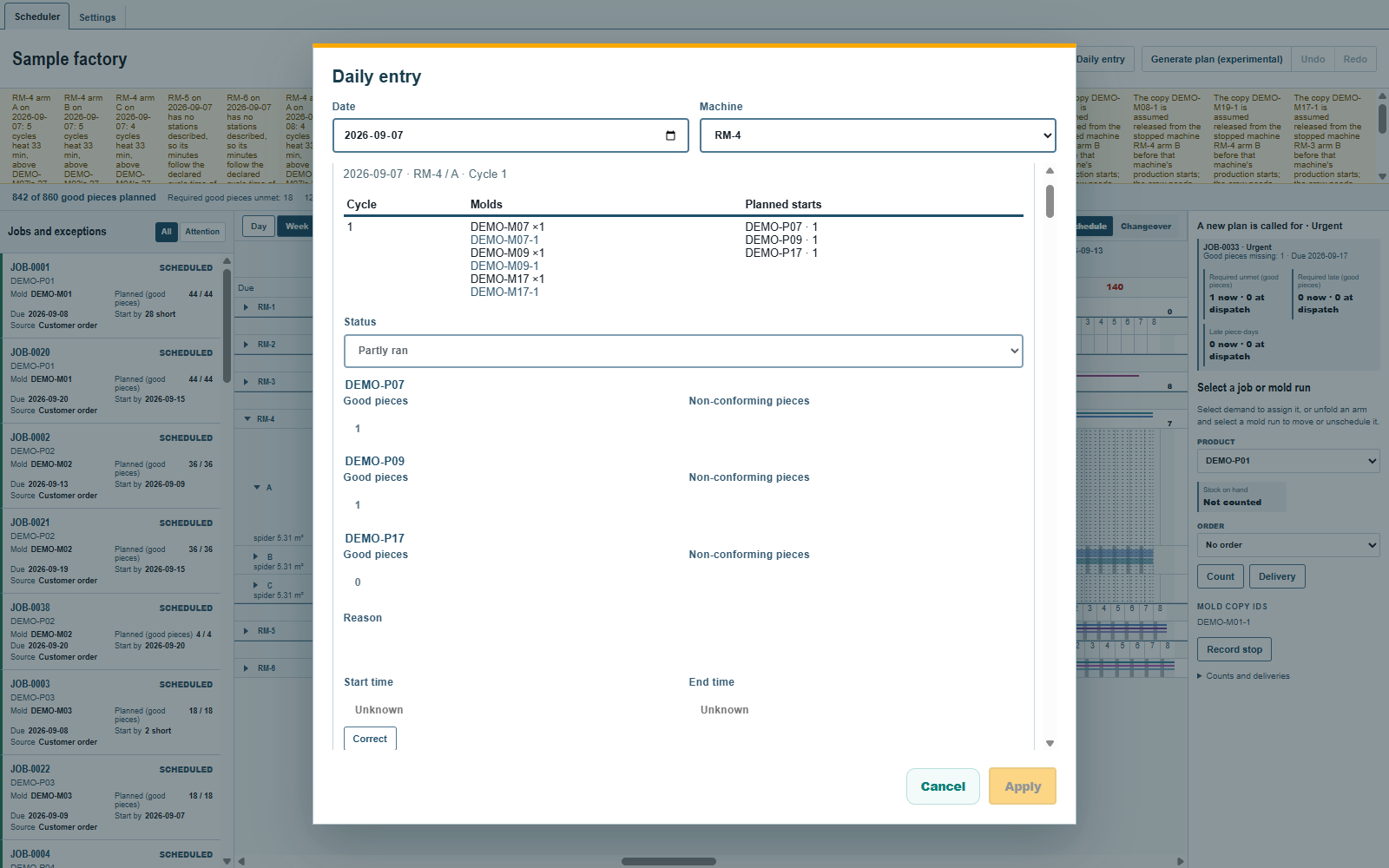
One daily entry submission saves the document once and restarts Undo. Count, Delivery and their corrections also save and restart Undo. Undo and a named version never change a production-log fact. Dispatch and Take back have their own rules on Keep a named version.
Stop, End and Correct
Select a machine-day, or expand the machine and select its arm's day. Click Record stop beside Dispatch and Take back. A machine stop covers every arm; an arm stop leaves the other arms working. The panel lists the stops in force for the selected machine or arm on that day.
Enter the Date and Start time; the time starts from the plant clock. On an arm, After cycle keeps the stated cycle and all earlier cycles out of the stop. Leave it blank when unknown. Enter an Estimated end and a Reason if known, then Apply. A start cannot be in the future. For an overnight working window, a time such as 25:00 means 01:00 on the following civil day, still under the selected production date.
Impossiblehas a solid red underline. The cycle meets the stop, so its pieces no longer count as planned. A hand placement there is refused and names the stop line.At riskhas a dashed steel underline. The stop has no confirmed end; these cycles follow its covered span and still give planned pieces. This mark does not make the placement light yellow.
For a machine or arm stop with no confirmed end, the covered span ends at the estimate, or at the end of the start date's working window when no estimate is given. Later cycles are at risk. A reported cycle has neither mark. Hover a mark to read its stop line.
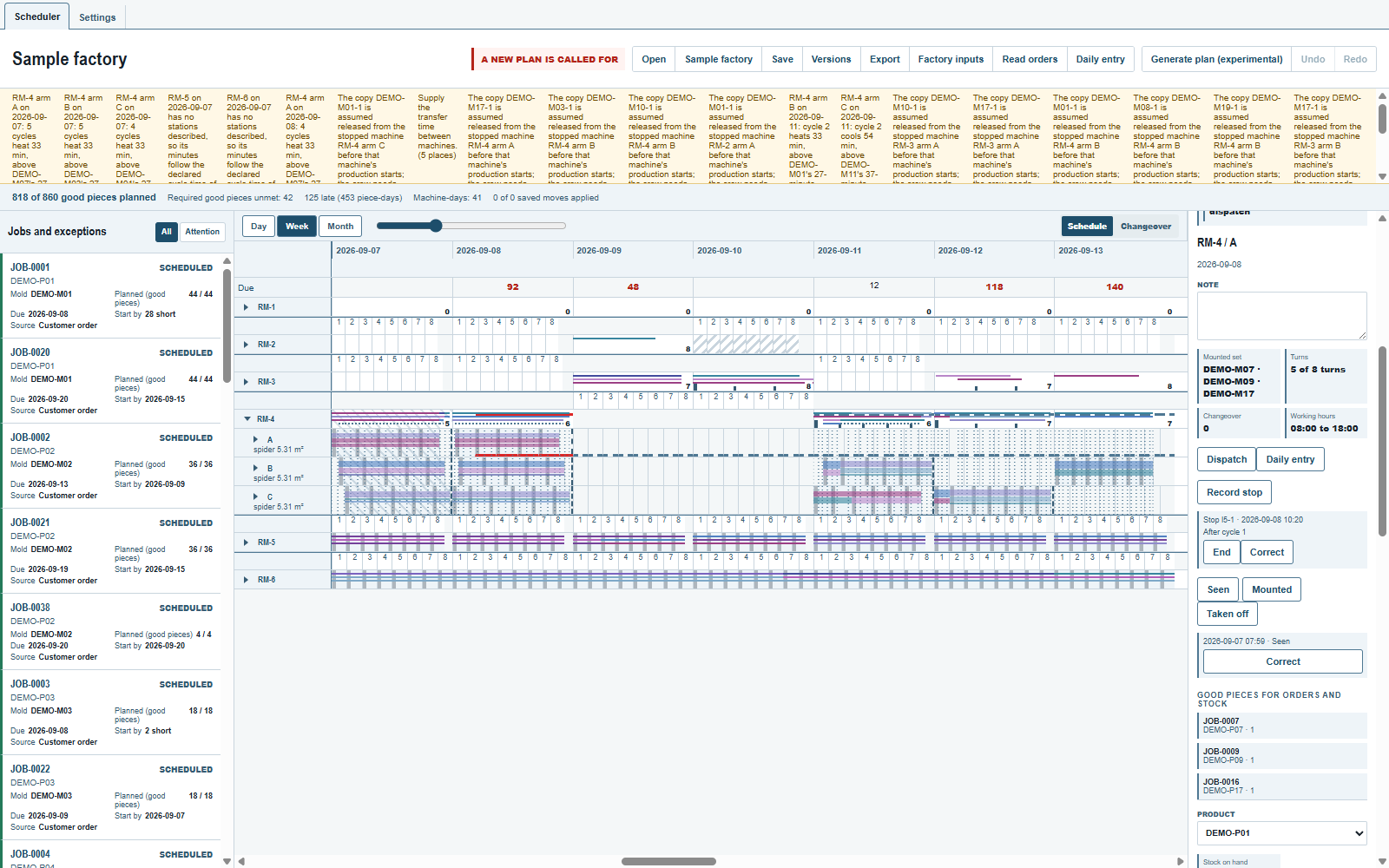
Click End on a stop in force with no confirmed end. The Confirmed end starts from the plant clock; enter the actual date and time, then Apply. The at-risk marks clear. A cycle beginning at the confirmed end is outside the stop. Click Correct to replace the whole stop, including its start, after-cycle value and ends. A confirmed end equal to the start makes the covered span empty.
A stop changes supply and nothing else. The loads stay where they are until the planner moves them or takes the dispatch back; the plan's minutes and the mold copies held by an arm stay as they were. Generate keeps protected loads and plans no free cycle marked impossible. Stop, End and Correct save a replacement line when needed and restart Undo. Undo and opening a named version keep the production log.
To put a mold copy out of use, select its product in the stock panel beside Count. Under Mold copy IDs, each copy has Record stop and its stops in force on the plant clock's date. Enter the date, start time, estimated end if known, and reason; a copy stop has no After cycle. Use End or Correct on its listed stop.
A copy stop covers from its start to its confirmed end. With no confirmed end, it covers to the end of the last machine-day in Factory inputs; its estimated end is shown only, with no at-risk span. Loads naming that copy are impossible while their cycles meet the stop. They keep their copies. Generate and a new drop use another copy when one is available.
Seen, Mounted and Taken off
Select an arm's day. Seen, Mounted and Taken off beside its stops record where the mold copies are. The dialog starts with the date and time from the plant clock. Choose the copies from Mold copy IDs, then Apply. Beside each copy, the app shows its latest recorded place: on a machine's arm, Taken off, or Unknown.
An arm's first line must be Seen. It records the arm's whole set; choosing no copy says the arm is empty. Mounted adds the selected copies; Taken off takes the selected copies off that arm. Both need at least one copy. An arm never seen stays unknown. Seeing or mounting a copy on another arm takes it off its previous arm.
The panel lists the arm's lines in force, with their moments and copies. Correct opens one line; enter the whole corrected line and Apply. Its replacement supplies the fact. The copy's place follows the latest moment, not the order of entry, so a late entry about Monday does not override Wednesday's observation.
The place shown changes at the line's moment. Planning uses the line from that machine's next opening at or after the moment; the day's planned work stands until then. Lines before the plan's first date seed its first opening. The plan carries its own mountings to later days. Generate, Dispatch and a planned removal never record where a copy is; the daily entry's production rows do not record that either.
The test against the dispatched plan
Each Dispatch records the whole plant's required pieces unmet, required pieces late and late piece-days, for each order and stock rule with any. It records the figures on the board at that moment, including shortages already accepted. The reference is the last dispatch still in force in the log's order. A withdrawn dispatch is not the reference, even when some of its cycles stay protected. With none in force, there is no test line.
The inspector shows one result whenever that reference exists, even with nothing selected:
Inside the allowance: no order or stock rule is worse in any of those three figures, and there is no surplus cycle that calls for shortening a run.A new plan is called for: at least one order or stock rule is worse, or surplus could be removed by shortening an unprotected run. The worse orders and stock rules show their missing good pieces, due date, and figures now beside those at dispatch.Urgent: an order's minimum or the safety stock is missed, including required pieces that will arrive late. A shortage only against the stock rule's lower edge is not urgent while its safety stock is met.
One order's gain never hides another's loss. The same pieces a day later are a loss. Wanted pieces short alone call for nothing. A plan dispatched already short can still be inside the allowance if no figure has become worse.
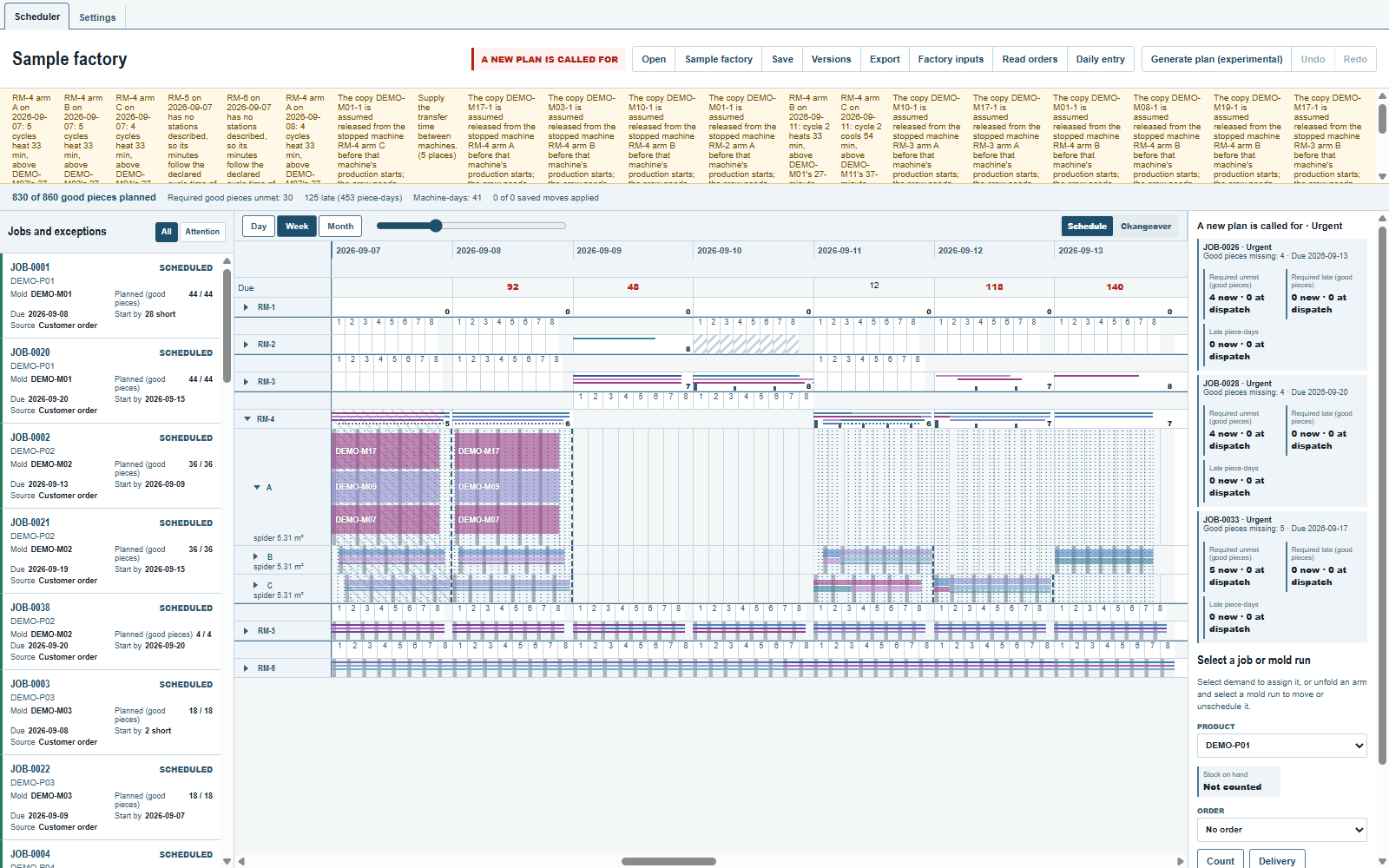
Surplus (good pieces) is listed by product. Where removing its latest unprotected planned cycle would worsen no order's or stock rule's required pieces unmet or late, Run to shorten identifies that cycle's mold run by mold, date, machine, arm and cycle range. A cycle carrying another product's required pieces cannot be removed this way. Counted production and past-plan production cannot be shortened. Surplus with no such cycle is shown and calls for nothing; surplus alone is not urgent.
The test only reads the plan. It offers no action and changes no load. The planner decides whether to edit, Generate or Dispatch again.
Comments and questions
The app's rules are our reading of the physics; where your plant knows better, the app changes.