RotoScheduler manual › Reference
Settings and the trial account
Describes RotoScheduler 0.3.3 · checked 2026-10-19 D5
Open the Settings page tab.
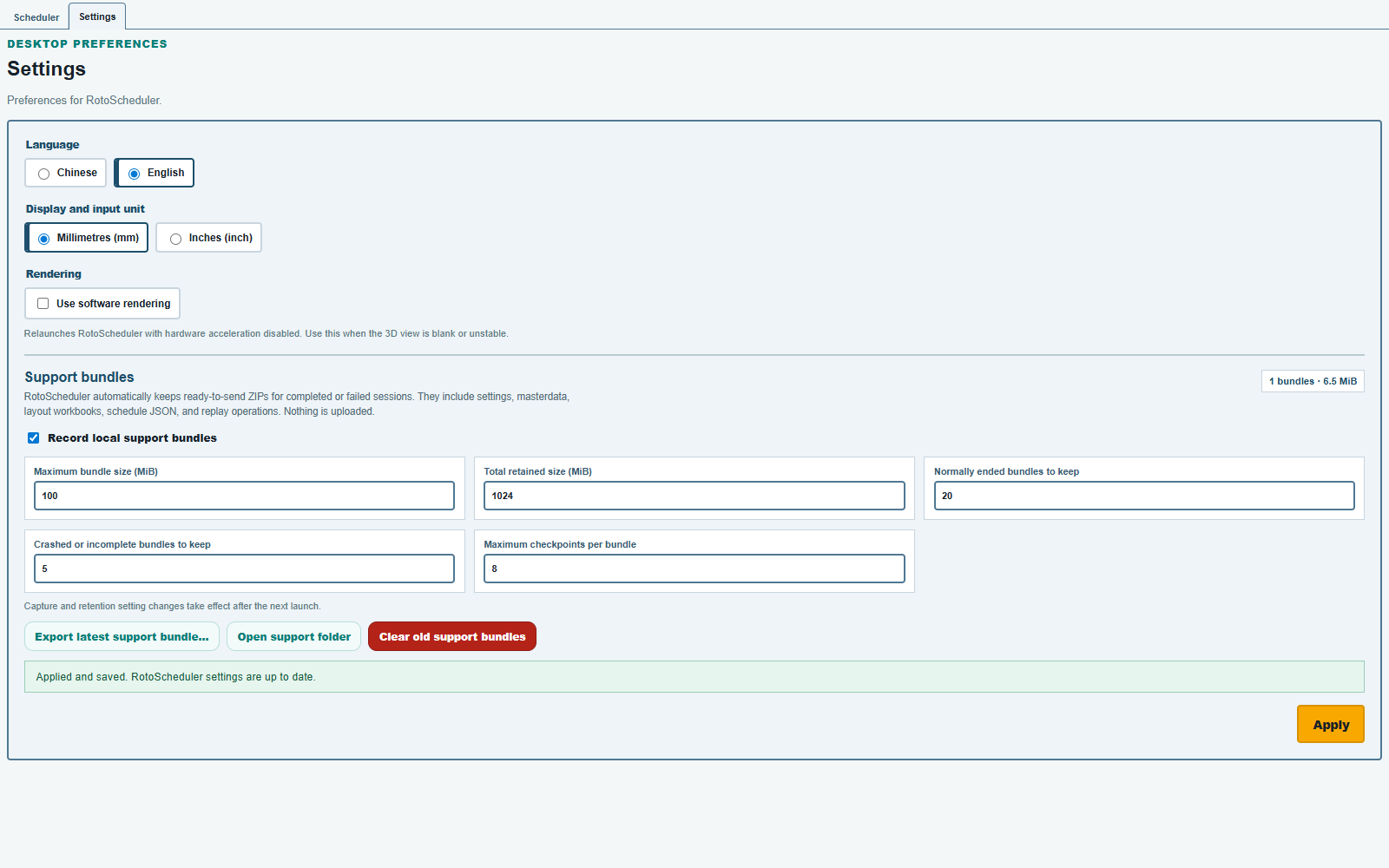
The trial records each session into a local support bundle; nothing is uploaded. The count beside Support bundles shows how many bundles are stored and their size. With one stored, Export latest support bundle… is available. To stop recording later sessions, clear Record local support bundles, click Apply and relaunch the app. Capture and retention changes take effect after the next launch.
| Control | What it does |
|---|---|
Language |
English or Chinese. |
Display and input unit |
Millimetres or inches. Factory-input fields that say (mm) keep the stated unit. |
Use software rendering |
Relaunch with software rendering when the display is unstable on this computer. |
Record local support bundles |
Enable or disable local session recording. |
| Bundle size and retention fields | The size of one bundle, the total retained size, and the number of sessions and checkpoints kept. |
Apply |
Save the settings changed on this page. |
RotoScheduler's mold-clearance inputs are in Factory inputs, not here. How long the trial runs is in Install the trial; when it ends, the app reports that the trial has expired. Changing the display language does not change the sample's product, mold or machine identifiers.
Comments and questions
The app's rules are our reading of the physics; where your plant knows better, the app changes.